 kage
kage
resend.com
Design analysis
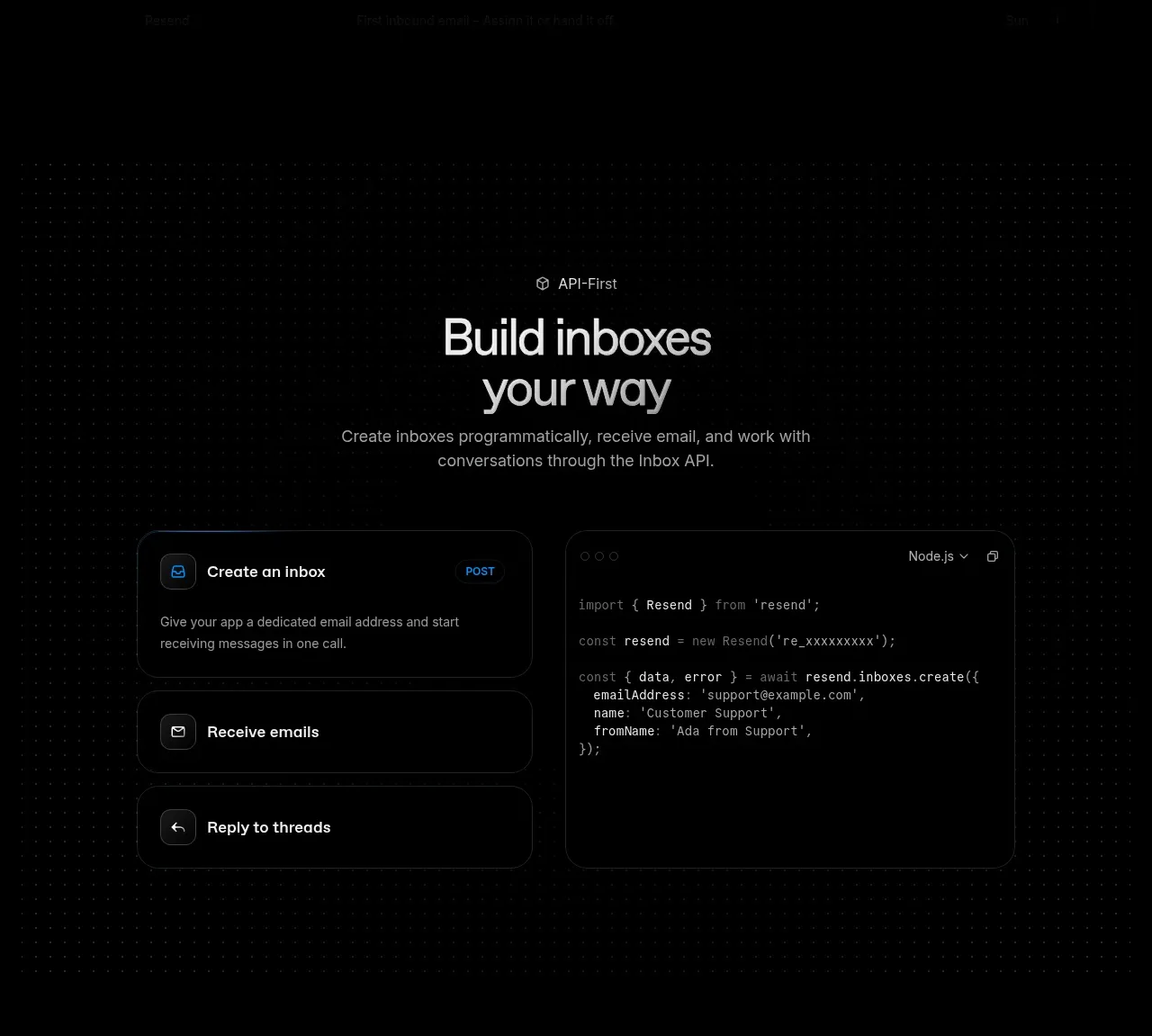
An API-first section introduces programmatic inbox creation with a centered heading, three stacked capability cards, and an adjacent code panel.
Prompt preview
## Reference images

Study these alongside the description below: hierarchy, rhythm, spacing, colour. Build for the product you are asked about, using this design language.

- Component: https://kage-design-assets.t3.tigrisfiles.io/components/resend-inboxes/352e3462-9455-4ac7-822b-63aef1588265-1792735565-2.webp
- Full page it was cut from: https://kage-design-assets.t3.tigrisfiles.io/screenshots/resend-inboxes/352e3462-9455-4ac7-822b-63aef1588265-1792735452629-full.webp
- Component on Kage: https://kage.design/component/resend-inboxes-feature-grid

## Before you start
Ask what the user's product API enables and what technical actions matter most to users. Ask about their brand before selecting colors and component styling.

Build an API-first feature section on a black canvas with a faint dotted or technical grid background. Center a small eyebrow, two-line heading, and explanatory paragraph above a two-column composition. The left column contains three vertically stacked rounded cards with small monochrome icons, concise titles, and one-sentence descriptions; the right column is a tall code block with a minimal window chrome, language selector, syntax-highlighted code, and generous padding. Use an 8px spacing system, 18–20px card radius, 1px borders in #202020, panel fill #070707, primary text #ededed, muted text #8e8e8e, and a restrained electric-blue accent around #1683d8. Keep the visual hierarchy clear: section heading first, capability cards second, implementation proof third. Allow code horizontal scrolling and provide accessible labels.

Never: use the reference logo, product name, exact copy, exact code, illustrations, imagery, or copied UI.
More components

 Data-room education and security overview
Papermark Data Rooms · Feature grid
Data-room education and security overview
Papermark Data Rooms · Feature grid
 Advanced data-room features
Papermark Data Rooms · Feature grid
Advanced data-room features
Papermark Data Rooms · Feature grid
 Workflow demonstrations
Papermark Data Rooms · Feature grid
Workflow demonstrations
Papermark Data Rooms · Feature grid

 Lanyard use-case feature
Badgey · Feature grid
Lanyard use-case feature
Badgey · Feature grid

 Problem statement
Clips by Plastic · Feature grid
Problem statement
Clips by Plastic · Feature grid
 Effects and customization panel
Clips by Plastic · Feature grid
Effects and customization panel
Clips by Plastic · Feature grid