 kage
kage
resend.com
Design analysis
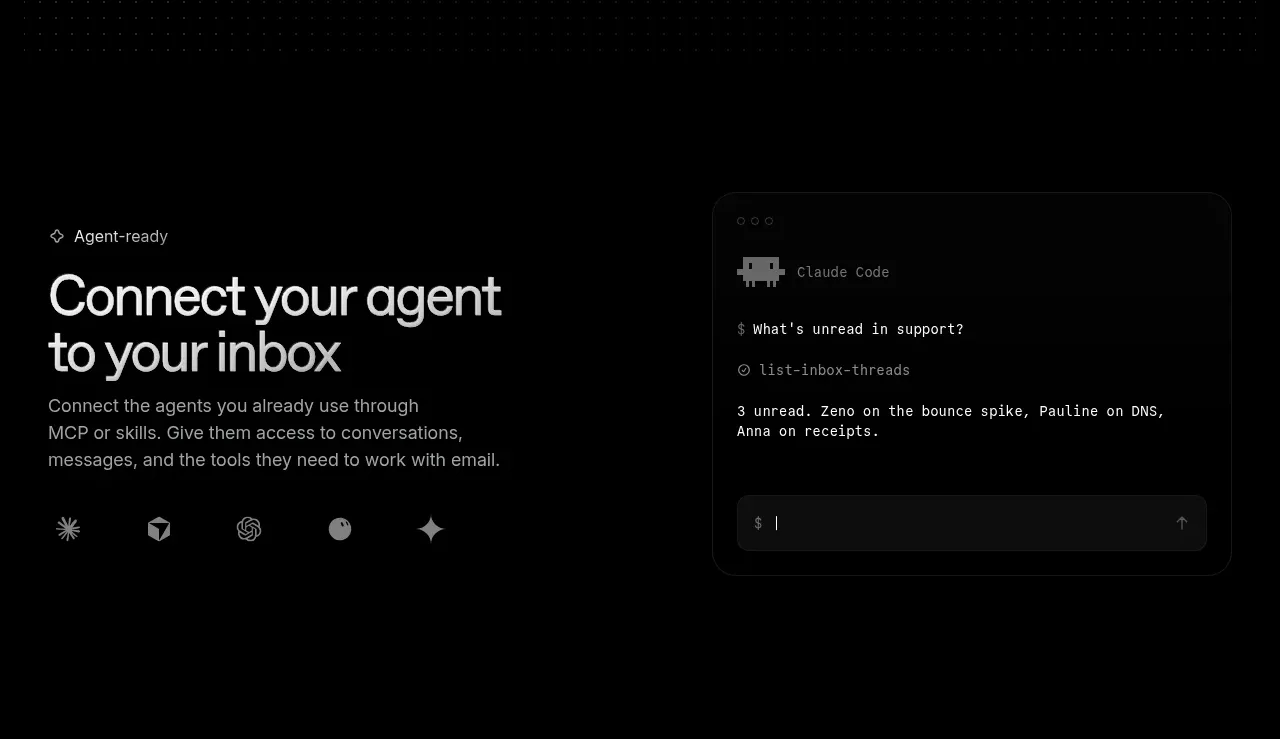
A split feature band explains how to connect an existing agent to an inbox, balancing copy and agent/tool ecosystem cues with a terminal-style interface card.
Prompt preview
## Reference images

Study these alongside the description below: hierarchy, rhythm, spacing, colour. Build for the product you are asked about, using this design language.

- Component: https://kage-design-assets.t3.tigrisfiles.io/components/resend-inboxes/352e3462-9455-4ac7-822b-63aef1588265-1792735565-3.webp
- Full page it was cut from: https://kage-design-assets.t3.tigrisfiles.io/screenshots/resend-inboxes/352e3462-9455-4ac7-822b-63aef1588265-1792735452629-full.webp
- Component on Kage: https://kage.design/component/resend-inboxes-feature-grid-2

## Before you start
Ask which agents, integrations, or tools the user's product supports and what outcome this section should communicate. Ask for the user's brand direction and apply it instead of copying the reference.

Create a split, horizontally aligned feature section on a dark background. Put a small eyebrow, strong two-line heading, and concise paragraph on the left, followed by a restrained row of abstract integration marks or text labels. Put a rounded terminal/chat interface card on the right showing a short query, result, and input row. Use approximately 45/55 or 48/52 column proportions, align both columns vertically around the middle, and leave ample breathing room. Use #050505 background, #f0f0f0 headings, #929292 body text, #151515 panel fill, #242424 borders, and a subtle blue glow only where it reinforces focus. Use 16–20px radii and monospace text only inside the terminal. Include hover/focus feedback for the input and integration items.

Never: use the reference logo, product name, exact agent names, exact copy, copied icons, illustrations, imagery, or screenshots.
More components

 Data-room education and security overview
Papermark Data Rooms · Feature grid
Data-room education and security overview
Papermark Data Rooms · Feature grid
 Advanced data-room features
Papermark Data Rooms · Feature grid
Advanced data-room features
Papermark Data Rooms · Feature grid
 Workflow demonstrations
Papermark Data Rooms · Feature grid
Workflow demonstrations
Papermark Data Rooms · Feature grid

 Lanyard use-case feature
Badgey · Feature grid
Lanyard use-case feature
Badgey · Feature grid

 Problem statement
Clips by Plastic · Feature grid
Problem statement
Clips by Plastic · Feature grid
 Effects and customization panel
Clips by Plastic · Feature grid
Effects and customization panel
Clips by Plastic · Feature grid