 kage
kage
resend.com
Design analysis
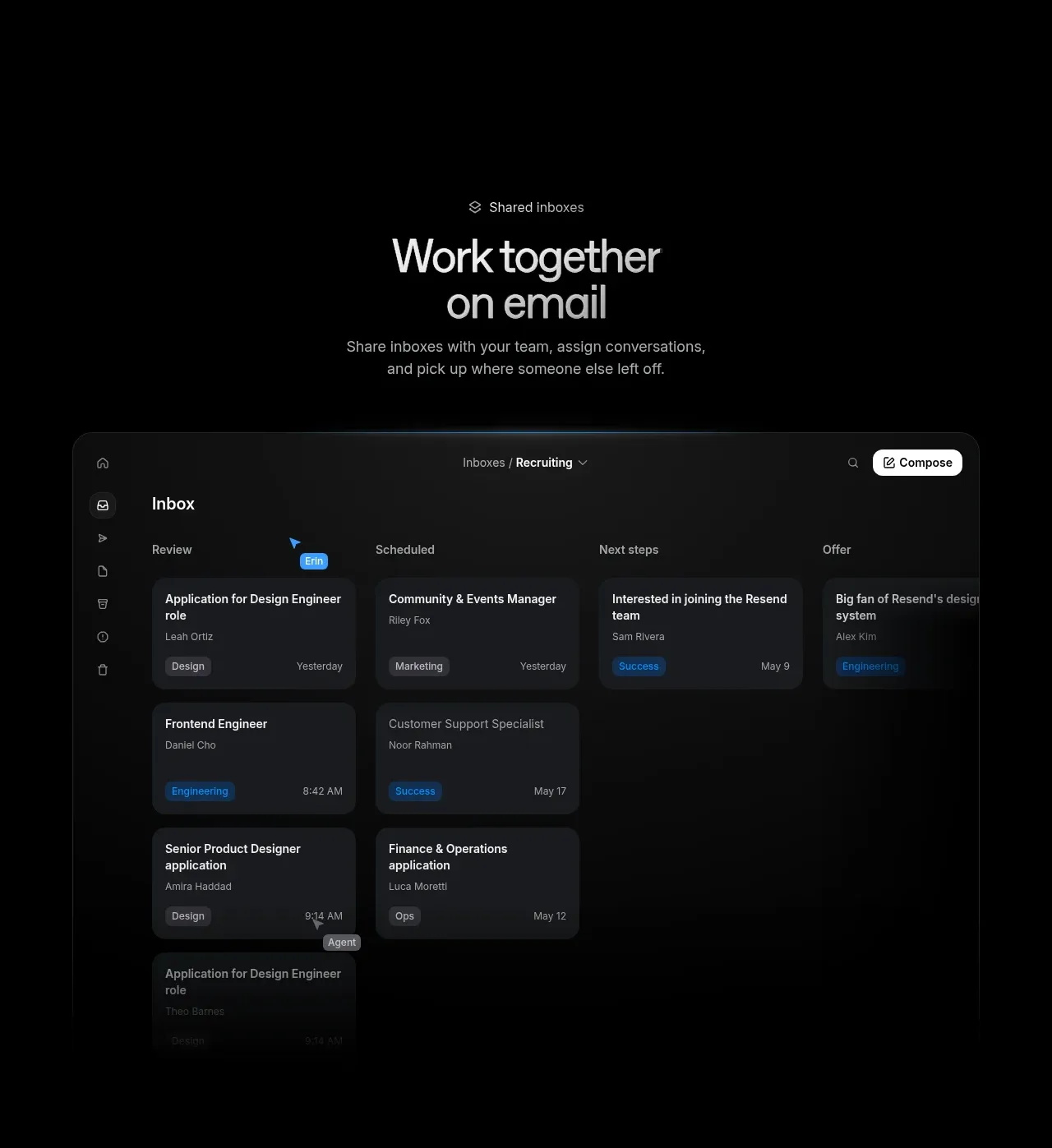
A centered collaboration section explains shared inbox workflows and uses a large kanban-like inbox preview to demonstrate assigning and tracking conversations.
Prompt preview
## Reference images

Study these alongside the description below: hierarchy, rhythm, spacing, colour. Build for the product you are asked about, using this design language.

- Component: https://kage-design-assets.t3.tigrisfiles.io/components/resend-inboxes/352e3462-9455-4ac7-822b-63aef1588265-1792735565-4.webp
- Full page it was cut from: https://kage-design-assets.t3.tigrisfiles.io/screenshots/resend-inboxes/352e3462-9455-4ac7-822b-63aef1588265-1792735452629-full.webp
- Component on Kage: https://kage.design/component/resend-inboxes-feature-grid-3

## Before you start
Ask what teams collaborate in the user's product and what workflow states, assignments, or categories are essential. Ask what brand style should be applied.

Build a centered collaboration feature section with an eyebrow, large two-line heading, and short supporting copy above a wide product preview. Use a dark, spacious composition with a realistic shared inbox/kanban interface: left navigation, top context bar, columns or filters, and cards containing titles, people, tags, and timestamps. Make the preview feel like a product demonstration rather than a decorative illustration. Use a black canvas (#030303), panel fill #0b0b0b, card fill #171717, borders #242424, white text #eeeeee, muted text #909090, and one bright accent such as #1b87df for selected tags. Use 18px outer radius, 10–12px card radius, subtle shadow, and responsive horizontal scrolling on narrow screens. Preserve readable density and clear grouping.

Never: use the reference logo, product name, exact inbox labels, exact copy, illustrations, imagery, or copied screenshot details.
More components

 Data-room education and security overview
Papermark Data Rooms · Feature grid
Data-room education and security overview
Papermark Data Rooms · Feature grid
 Advanced data-room features
Papermark Data Rooms · Feature grid
Advanced data-room features
Papermark Data Rooms · Feature grid
 Workflow demonstrations
Papermark Data Rooms · Feature grid
Workflow demonstrations
Papermark Data Rooms · Feature grid

 Lanyard use-case feature
Badgey · Feature grid
Lanyard use-case feature
Badgey · Feature grid

 Problem statement
Clips by Plastic · Feature grid
Problem statement
Clips by Plastic · Feature grid
 Effects and customization panel
Clips by Plastic · Feature grid
Effects and customization panel
Clips by Plastic · Feature grid