 kage
kage
resend.com
Design analysis
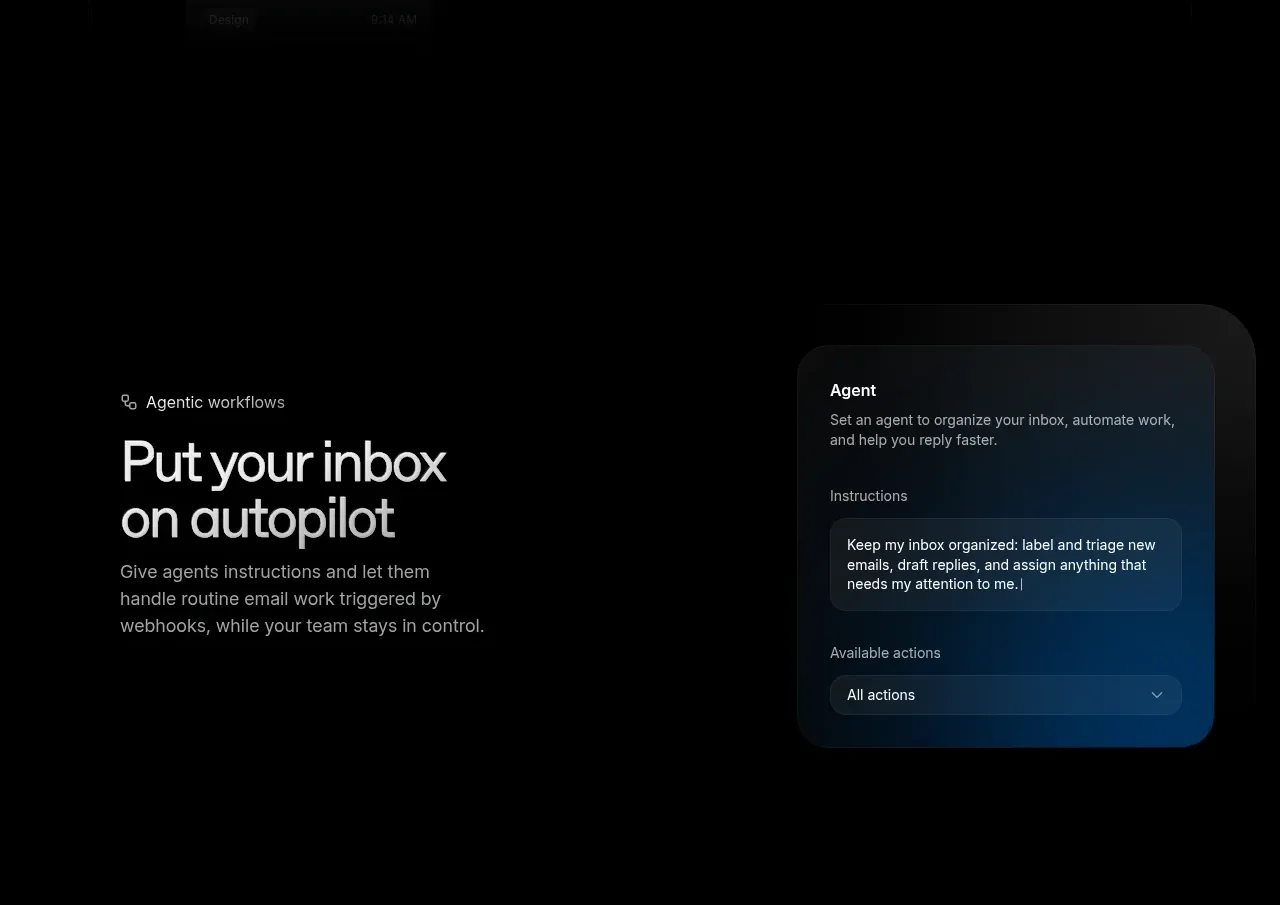
This split section presents inbox automation as an autopilot workflow, pairing explanatory copy with a floating configuration panel.
Prompt preview
## Reference images

Study these alongside the description below: hierarchy, rhythm, spacing, colour. Build for the product you are asked about, using this design language.

- Component: https://kage-design-assets.t3.tigrisfiles.io/components/resend-inboxes/352e3462-9455-4ac7-822b-63aef1588265-1792735566-5.webp
- Full page it was cut from: https://kage-design-assets.t3.tigrisfiles.io/screenshots/resend-inboxes/352e3462-9455-4ac7-822b-63aef1588265-1792735452629-full.webp
- Component on Kage: https://kage.design/component/resend-inboxes-feature-grid-4

## Before you start
Ask what repetitive workflow the user's product automates, what controls users need, and what brand direction to follow. Then build an original version with the rules below.

Create a left-copy/right-interface automation section. The left side has a small eyebrow, large two-line headline, and a concise paragraph explaining control and outcomes. The right side contains a floating settings card with a title, an instruction textarea or message field, and a select-like available-actions control. Give the card a layered, glassy dark treatment with a soft blue radial glow behind it. Use #030303 background, #ededed headings, #9a9a9a body text, #111820 panel fill, #26303a borders, blue accent #0d69aa, and 16–24px radii. Maintain strong alignment and plenty of negative space; ensure form controls have labels, focus rings, and meaningful keyboard behavior. On mobile, stack copy above the panel.

Never: use the reference logo, product name, exact copy, exact workflow, illustrations, imagery, or copied UI.
More components

 Data-room education and security overview
Papermark Data Rooms · Feature grid
Data-room education and security overview
Papermark Data Rooms · Feature grid
 Advanced data-room features
Papermark Data Rooms · Feature grid
Advanced data-room features
Papermark Data Rooms · Feature grid
 Workflow demonstrations
Papermark Data Rooms · Feature grid
Workflow demonstrations
Papermark Data Rooms · Feature grid

 Lanyard use-case feature
Badgey · Feature grid
Lanyard use-case feature
Badgey · Feature grid

 Problem statement
Clips by Plastic · Feature grid
Problem statement
Clips by Plastic · Feature grid
 Effects and customization panel
Clips by Plastic · Feature grid
Effects and customization panel
Clips by Plastic · Feature grid