 kage
kage
resend.com
Design analysis
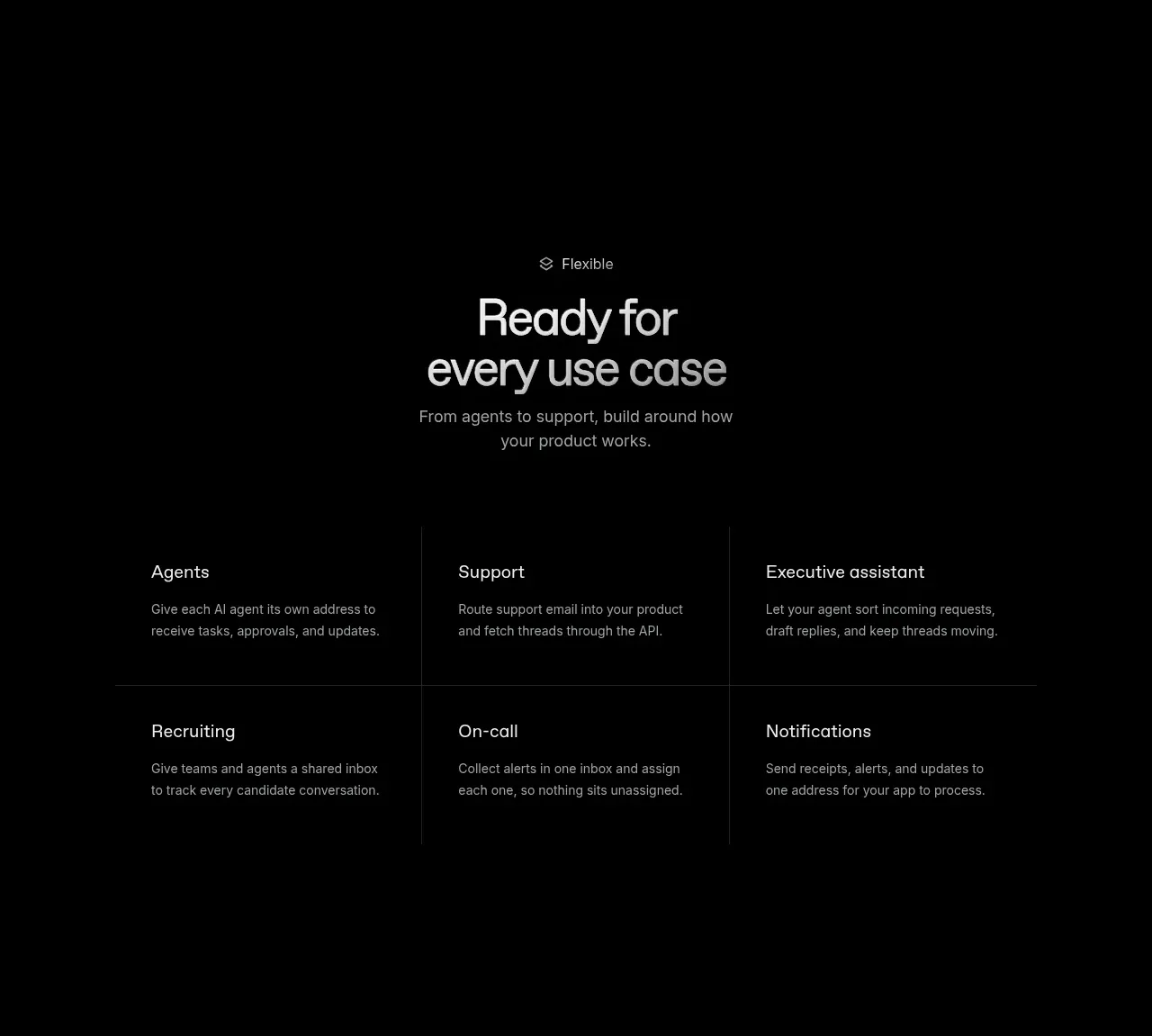
A flexible-use-case section uses a centered heading and a six-cell matrix to show how different roles can apply the product.
Prompt preview
## Reference images

Study these alongside the description below: hierarchy, rhythm, spacing, colour. Build for the product you are asked about, using this design language.

- Component: https://kage-design-assets.t3.tigrisfiles.io/components/resend-inboxes/352e3462-9455-4ac7-822b-63aef1588265-1792735566-6.webp
- Full page it was cut from: https://kage-design-assets.t3.tigrisfiles.io/screenshots/resend-inboxes/352e3462-9455-4ac7-822b-63aef1588265-1792735452629-full.webp
- Component on Kage: https://kage.design/component/resend-inboxes-feature-grid-5

## Before you start
Ask which audiences and use cases matter for the user's product, then ask for the brand's tone and visual system. Populate the structure with original content.

Build a centered use-case section with a small eyebrow, two-line heading, and concise supporting paragraph. Below it, create a three-column by two-row matrix of use-case cells. Each cell contains a short title and a compact description, with subtle vertical and horizontal dividers rather than heavy cards. Keep the matrix within a readable max-width and align all cell content consistently. Use a near-black background (#030303), #f0f0f0 titles, #8f8f8f descriptions, and 1px dividers around #202020. Use generous 32–48px cell padding, 15–16px body type, and responsive one-column or two-column behavior on narrow screens. Add a gentle hover highlight without turning the grid into a noisy card wall.

Never: use the reference logo, product name, exact use-case labels, exact copy, illustrations, imagery, or copied content.
More components

 Data-room education and security overview
Papermark Data Rooms · Feature grid
Data-room education and security overview
Papermark Data Rooms · Feature grid
 Advanced data-room features
Papermark Data Rooms · Feature grid
Advanced data-room features
Papermark Data Rooms · Feature grid
 Workflow demonstrations
Papermark Data Rooms · Feature grid
Workflow demonstrations
Papermark Data Rooms · Feature grid

 Lanyard use-case feature
Badgey · Feature grid
Lanyard use-case feature
Badgey · Feature grid

 Problem statement
Clips by Plastic · Feature grid
Problem statement
Clips by Plastic · Feature grid
 Effects and customization panel
Clips by Plastic · Feature grid
Effects and customization panel
Clips by Plastic · Feature grid