 kage
kage
sponkly.com
Design analysis
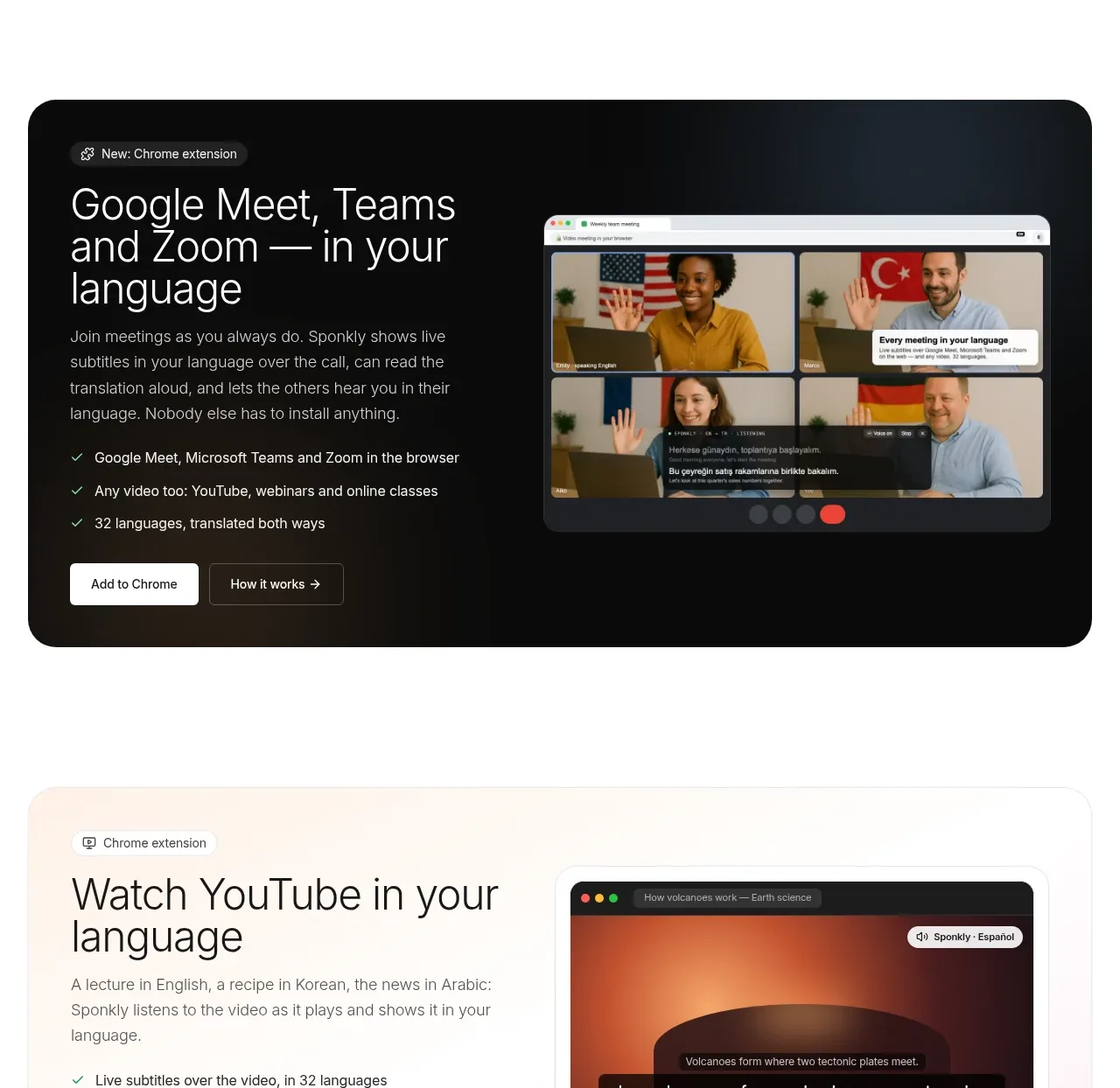
A dark, high-contrast feature panel demonstrates the browser extension in a live-meeting context while keeping the explanation and CTA on the left.
Prompt preview
## Reference images

Study these alongside the description below: hierarchy, rhythm, spacing, colour. Build for the product you are asked about, using this design language.

- Component: https://kage-design-assets.t3.tigrisfiles.io/components/sponkly/bd3f409f-e542-449e-8bba-263211d90a1c-1792735454-3.webp
- Full page it was cut from: https://kage-design-assets.t3.tigrisfiles.io/screenshots/sponkly/bd3f409f-e542-449e-8bba-263211d90a1c-1792735346298-full.webp
- Component on Kage: https://kage.design/component/sponkly-feature-grid

## Before you start
Ask me what core workflow my product should showcase and what its brand colours are. Then build an original feature panel using these principles.

Create a wide rounded feature panel with a nearly black gradient background around #0E1011 to #1D2429. Use a small pill eyebrow, a bright 30–36px heading, concise light text, a short checklist, and two compact CTAs on the left. Place an original product UI visual on the right, framed inside a dark browser or device shell with a 16–20px radius. Keep the visual large enough to read the workflow but subordinate to the narrative.

Use a 44/56 split, 32px internal padding on desktop, high contrast #FFFFFF headings, #B8B8B8 body text, and a single warm or cool accent for action states. Add subtle depth through a restrained shadow and border, not decorative clutter. Stack the columns on mobile with the visual below the copy.

### Never
- Never reuse the reference product name, meeting screenshot, logos, or exact copy.
- Never copy its interface, imagery, illustration, or dark-panel composition pixel for pixel.
More components

 Data-room education and security overview
Papermark Data Rooms · Feature grid
Data-room education and security overview
Papermark Data Rooms · Feature grid
 Advanced data-room features
Papermark Data Rooms · Feature grid
Advanced data-room features
Papermark Data Rooms · Feature grid
 Workflow demonstrations
Papermark Data Rooms · Feature grid
Workflow demonstrations
Papermark Data Rooms · Feature grid

 Lanyard use-case feature
Badgey · Feature grid
Lanyard use-case feature
Badgey · Feature grid

 Problem statement
Clips by Plastic · Feature grid
Problem statement
Clips by Plastic · Feature grid
 Effects and customization panel
Clips by Plastic · Feature grid
Effects and customization panel
Clips by Plastic · Feature grid