 kage
kage
sponkly.com
Design analysis
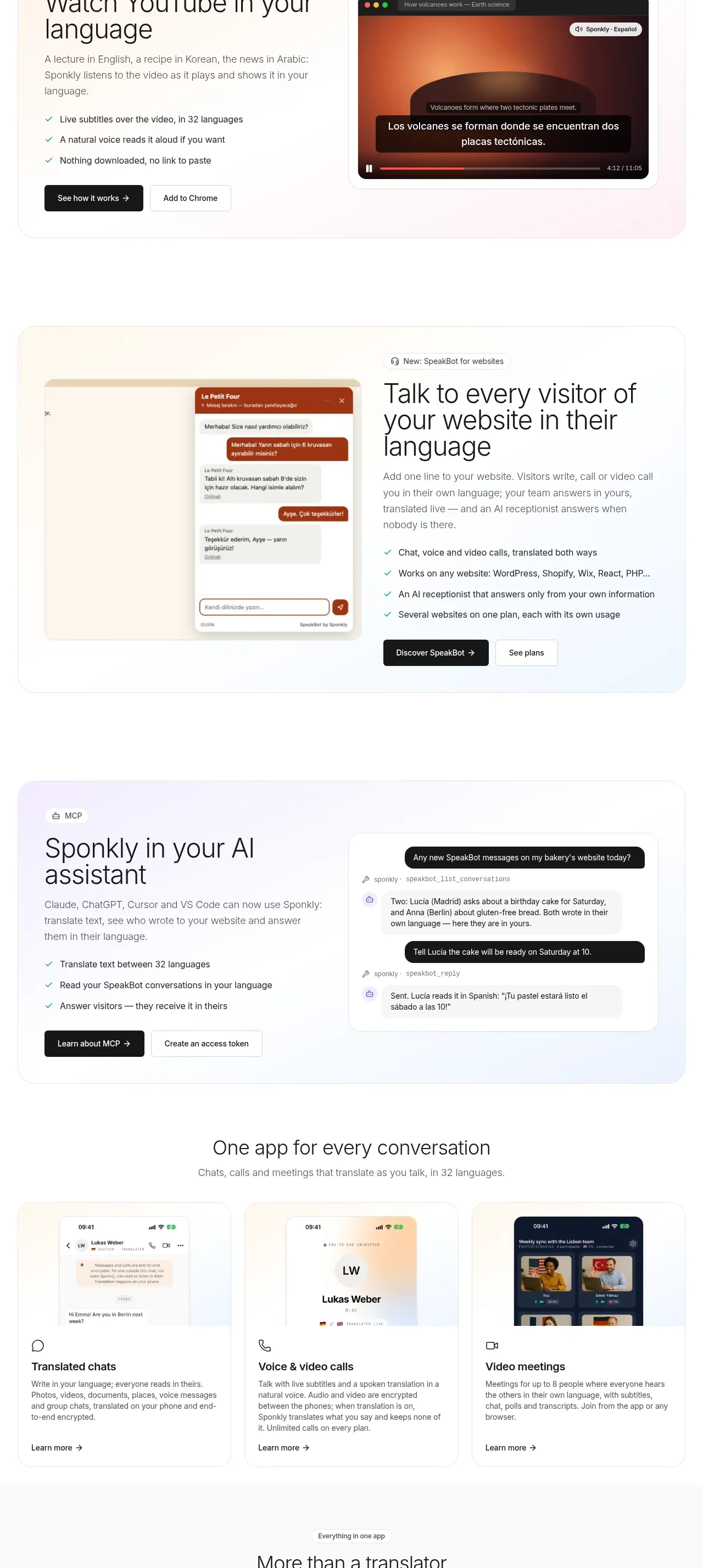
Three alternating showcase bands explain video translation, website conversations, and AI-assistant integration using a consistent text-plus-visual pattern.
Prompt preview
## Reference images

Study these alongside the description below: hierarchy, rhythm, spacing, colour. Build for the product you are asked about, using this design language.

- Component: https://kage-design-assets.t3.tigrisfiles.io/components/sponkly/bd3f409f-e542-449e-8bba-263211d90a1c-1792735455-4.webp
- Full page it was cut from: https://kage-design-assets.t3.tigrisfiles.io/screenshots/sponkly/bd3f409f-e542-449e-8bba-263211d90a1c-1792735346298-full.webp
- Component on Kage: https://kage.design/component/sponkly-feature-grid-2

## Before you start
Ask me which three capabilities are most important for my product, who uses each one, and what visual language the brand should have. Then implement an original showcase section.

Build a vertically stacked set of three feature rows inside a generous section. Alternate the visual and text sides to create rhythm, but keep a consistent grid and alignment. Each row needs a small eyebrow, a 28–36px heading, a 14–16px explanatory paragraph, a 3–5 item benefit list with subtle check icons, and one primary or secondary action. Use soft tinted backgrounds such as #FFF9F2, #F5F8FF, and #F7F4FF, white content surfaces, #1A1A1A text, #737373 supporting text, 1px #E9E9E9 borders, and 16px radii.

Give each visual a distinct but original UI mockup or product image with a consistent 4:3-ish footprint. Use 64–96px vertical separation between rows and preserve a clear 50/50 or 45/55 visual/text balance. On mobile, stack every row and keep the text before the visual.

### Never
- Never copy the reference feature names, product name, logos, screenshots, or exact checklist copy.
- Never reuse its imagery, illustrations, or UI mockups.
More components

 Data-room education and security overview
Papermark Data Rooms · Feature grid
Data-room education and security overview
Papermark Data Rooms · Feature grid
 Advanced data-room features
Papermark Data Rooms · Feature grid
Advanced data-room features
Papermark Data Rooms · Feature grid
 Workflow demonstrations
Papermark Data Rooms · Feature grid
Workflow demonstrations
Papermark Data Rooms · Feature grid

 Lanyard use-case feature
Badgey · Feature grid
Lanyard use-case feature
Badgey · Feature grid

 Problem statement
Clips by Plastic · Feature grid
Problem statement
Clips by Plastic · Feature grid
 Effects and customization panel
Clips by Plastic · Feature grid
Effects and customization panel
Clips by Plastic · Feature grid