 kage
kage
sponkly.com
Design analysis
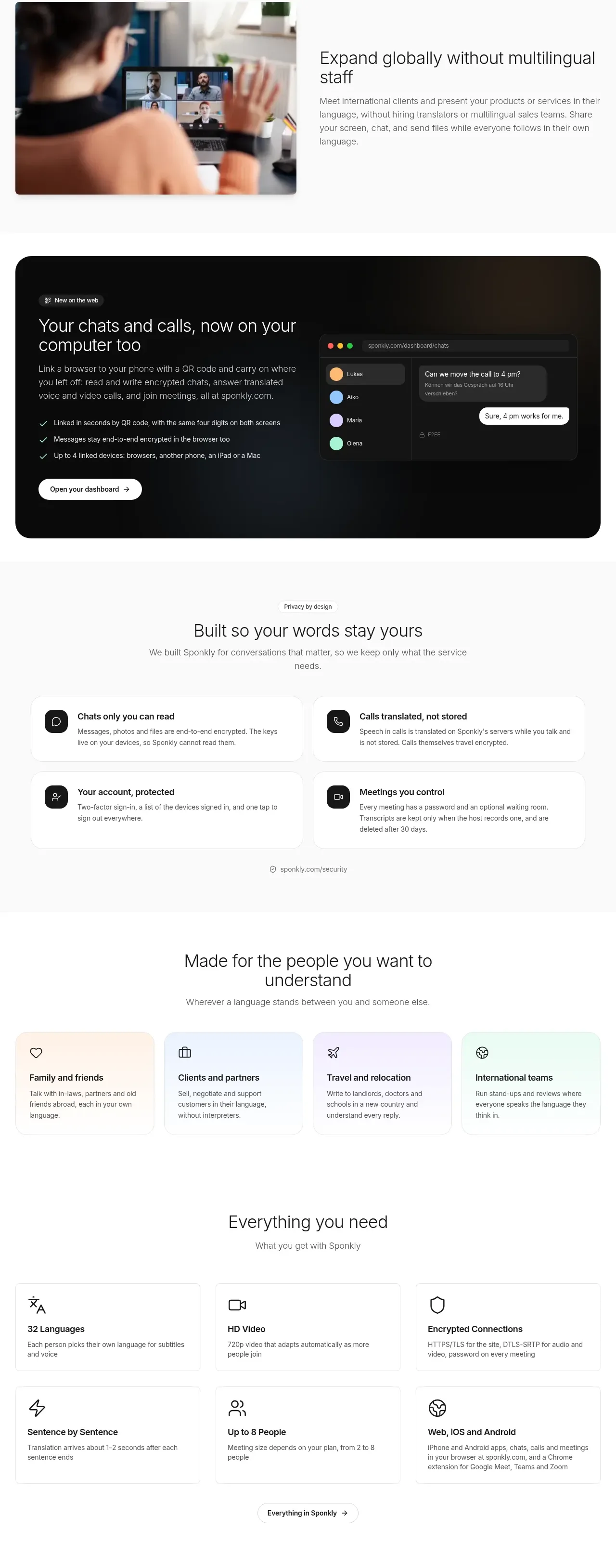
Four alternating image-and-copy rows translate the product promise into relatable audience scenarios, maintaining a calm editorial cadence.
Prompt preview
## Reference images

Study these alongside the description below: hierarchy, rhythm, spacing, colour. Build for the product you are asked about, using this design language.

- Component: https://kage-design-assets.t3.tigrisfiles.io/components/sponkly/bd3f409f-e542-449e-8bba-263211d90a1c-1792735458-7.webp
- Full page it was cut from: https://kage-design-assets.t3.tigrisfiles.io/screenshots/sponkly/bd3f409f-e542-449e-8bba-263211d90a1c-1792735346298-full.webp
- Component on Kage: https://kage.design/component/sponkly-feature-grid-5

## Before you start
Ask me which audiences and real-world use cases matter for my product, what images are permissible, and what brand system to apply. Then build original story rows.

Create four generous alternating rows, each with a large original photograph, abstract visual, or product illustration on one side and a concise story on the other. Use a 30–36px heading, 14–16px paragraph, and optional small eyebrow. Alternate image placement between rows, but keep all text and visuals aligned to the same centered content grid. Use mostly white and #FAFAFA backgrounds, #202020 text, #707070 body copy, 12–16px image radii, and soft neutral borders only when needed.

Give each row 120–180px of vertical breathing room and avoid overly dense copy. The visuals should feel human and contextual, while preserving a product-led editorial style. On mobile, stack the image and text in a consistent order and reduce the vertical gaps.

### Never
- Never copy the reference headings, product name, people, logos, photos, or exact copy.
- Never reuse reference imagery, illustrations, or scene composition.
More components

 Data-room education and security overview
Papermark Data Rooms · Feature grid
Data-room education and security overview
Papermark Data Rooms · Feature grid
 Advanced data-room features
Papermark Data Rooms · Feature grid
Advanced data-room features
Papermark Data Rooms · Feature grid
 Workflow demonstrations
Papermark Data Rooms · Feature grid
Workflow demonstrations
Papermark Data Rooms · Feature grid

 Lanyard use-case feature
Badgey · Feature grid
Lanyard use-case feature
Badgey · Feature grid

 Problem statement
Clips by Plastic · Feature grid
Problem statement
Clips by Plastic · Feature grid
 Effects and customization panel
Clips by Plastic · Feature grid
Effects and customization panel
Clips by Plastic · Feature grid