 kage
kage
brains.ceo
Design analysis
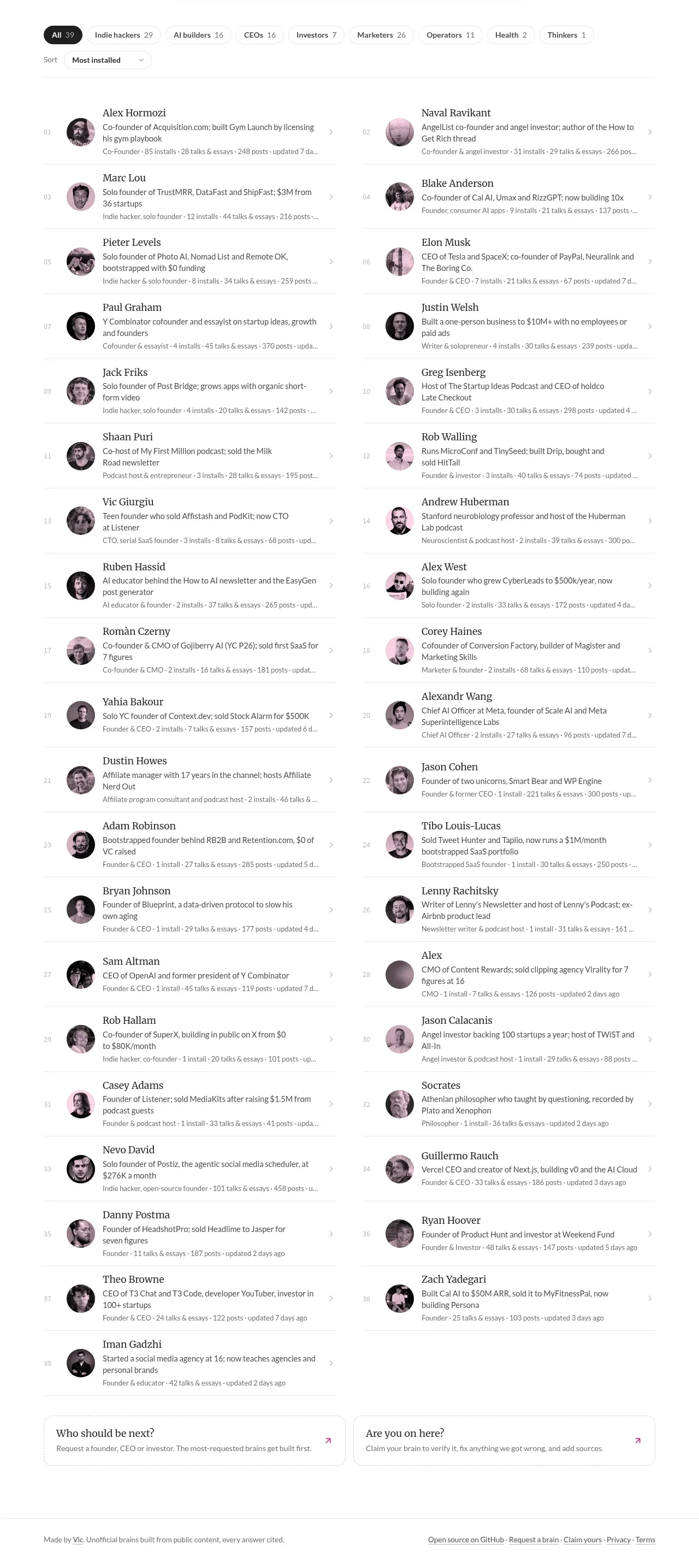
A dense two-column list uses repeated profile rows, avatars, metadata, and chevrons to make dozens of searchable entries scannable while retaining a human editorial feel.
Prompt preview
## Reference images

Study these alongside the description below: hierarchy, rhythm, spacing, colour. Build for the product you are asked about, using this design language.

- Component: https://kage-design-assets.t3.tigrisfiles.io/components/the-brains/a35aca56-f802-48ab-9290-e49eab0cde25-1792648934-3.webp
- Full page it was cut from: https://kage-design-assets.t3.tigrisfiles.io/screenshots/the-brains/a35aca56-f802-48ab-9290-e49eab0cde25-1792648871849-full.webp
- Component on Kage: https://kage.design/component/the-brains-feature-grid

## Before you start
Ask the user what their product is, who it serves, and what brand personality and colours to use. Then apply the principles below to that product rather than reproducing the reference.

Create a dense, responsive directory grid for people, resources, or entities. Use two equal columns on desktop with repeated horizontal rows: a small ordinal or status marker, a circular avatar or neutral thumbnail, a title in a readable serif or humanist font, one or two lines of description, a muted metadata line, and a subtle right-facing chevron indicating the row is clickable. Separate rows with very light #e8e5e6 rules, keep row heights consistent, and maintain generous enough line height for descriptions. Use a max-width around 790px, column gap around 36px, 14–16px title text, 11–13px metadata, near-black #292526 primary text, and muted #777276 secondary text. Add hover background tint, keyboard focus ring in #e8327d, and preserve the entire row as the hit target. Collapse to one column below tablet width; avoid overly card-like containers so the list feels editorial and information-dense.

Never: use logos, product names, copy, illustrations, or imagery from the reference.
More components

 Data-room education and security overview
Papermark Data Rooms · Feature grid
Data-room education and security overview
Papermark Data Rooms · Feature grid
 Advanced data-room features
Papermark Data Rooms · Feature grid
Advanced data-room features
Papermark Data Rooms · Feature grid
 Workflow demonstrations
Papermark Data Rooms · Feature grid
Workflow demonstrations
Papermark Data Rooms · Feature grid

 Lanyard use-case feature
Badgey · Feature grid
Lanyard use-case feature
Badgey · Feature grid

 Problem statement
Clips by Plastic · Feature grid
Problem statement
Clips by Plastic · Feature grid
 Effects and customization panel
Clips by Plastic · Feature grid
Effects and customization panel
Clips by Plastic · Feature grid