 kage
kage
asktori.ai
Design analysis
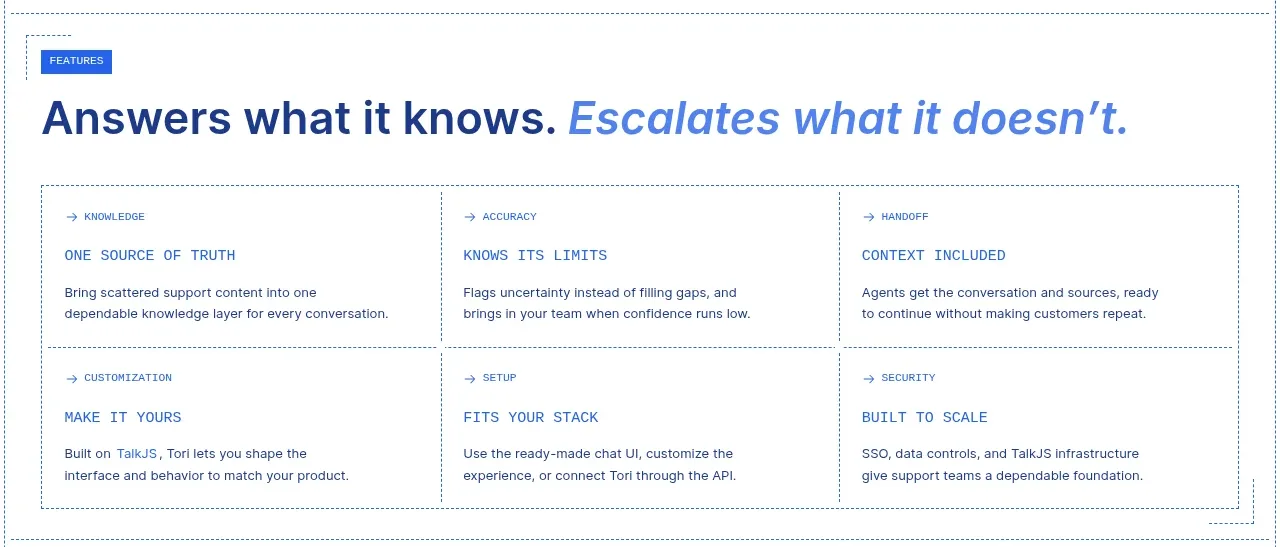
A bold statement sits above a bordered 3-by-2 matrix, allowing capabilities to be scanned quickly while retaining explanatory detail.
Prompt preview
## Reference images

Study these alongside the description below: hierarchy, rhythm, spacing, colour. Build for the product you are asked about, using this design language.

- Component: https://kage-design-assets.t3.tigrisfiles.io/components/tori/b048b964-21ef-4db6-a2d8-4a588d44e320-1792476376-5.webp
- Full page it was cut from: https://kage-design-assets.t3.tigrisfiles.io/screenshots/tori/b048b964-21ef-4db6-a2d8-4a588d44e320-1792476172861-full.webp
- Component on Kage: https://kage.design/component/tori-feature-grid-4

## Before you start
Ask what the user's product, audience, and brand are, then apply the principles below to create an original capability matrix for that product.

Create a feature section with a small uppercase eyebrow and a strong two-tone headline around 32–38px, using navy for the first clause and italic pale blue #5f8fe1 for the second. Under it, place a six-cell matrix in three columns and two rows, enclosed by a thin border and divided with 1px rules. Each cell has a tiny arrow/category label, a short uppercase title, and a two-line explanation. Use 18–22px cell padding, square corners, white background, navy text, and light dotted or solid separators. The matrix should remain readable and stack into one column responsively.

Never use logos, product names, copy, illustrations, or imagery from the reference.
More components

 Discover app directory
Composio Instant · Feature grid
Discover app directory
Composio Instant · Feature grid
 Connected apps workflow
Composio Instant · Feature grid
Connected apps workflow
Composio Instant · Feature grid
 Spending controls
Composio Instant · Feature grid
Spending controls
Composio Instant · Feature grid
 Three-part product workflow
Composio Instant · Feature grid
Three-part product workflow
Composio Instant · Feature grid

 Capability overview and specification cards
Asimov 1 · Feature grid
Capability overview and specification cards
Asimov 1 · Feature grid
 Open hardware pathways
Asimov 1 · Feature grid
Open hardware pathways
Asimov 1 · Feature grid