 kage
kage
asktori.ai
Design analysis
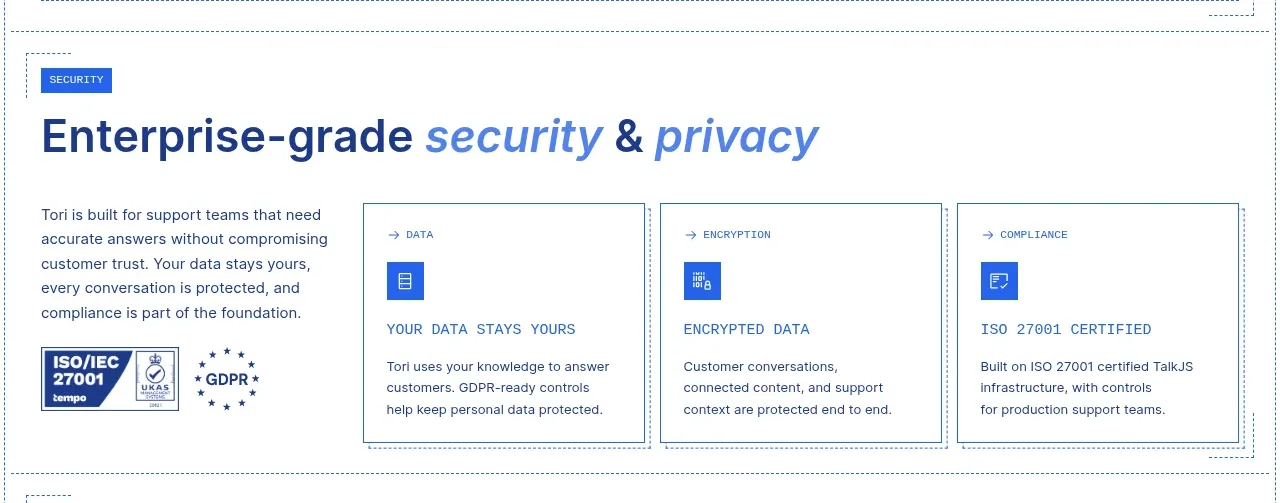
The security section combines a short trust narrative and certification area with three bordered assurance cards, making enterprise readiness tangible.
Prompt preview
## Reference images

Study these alongside the description below: hierarchy, rhythm, spacing, colour. Build for the product you are asked about, using this design language.

- Component: https://kage-design-assets.t3.tigrisfiles.io/components/tori/b048b964-21ef-4db6-a2d8-4a588d44e320-1792476377-6.webp
- Full page it was cut from: https://kage-design-assets.t3.tigrisfiles.io/screenshots/tori/b048b964-21ef-4db6-a2d8-4a588d44e320-1792476172861-full.webp
- Component on Kage: https://kage.design/component/tori-feature-grid-5

## Before you start
Ask what the user's product, audience, and brand are, then apply the principles below to create an original trust section for that product.

Build a security-and-trust band with an eyebrow and a large headline using navy plus a pale-blue italic emphasis. Use a two-part layout: a narrow left column with a concise paragraph and abstract certification/badge placeholders, and a wider right area with three equal assurance cards. Each card should include a small category label, a cobalt square icon, a concise title, and supporting text. Use white backgrounds, #6f8cae 1px borders, minimal 0–4px radius, and 20px gaps. Certification marks must be represented by generic neutral placeholders or text blocks, never real marks. Keep the tone calm, factual, and high-confidence.

Never use logos, product names, copy, illustrations, or imagery from the reference.
More components

 Discover app directory
Composio Instant · Feature grid
Discover app directory
Composio Instant · Feature grid
 Connected apps workflow
Composio Instant · Feature grid
Connected apps workflow
Composio Instant · Feature grid
 Three-part product workflow
Composio Instant · Feature grid
Three-part product workflow
Composio Instant · Feature grid
 Spending controls
Composio Instant · Feature grid
Spending controls
Composio Instant · Feature grid

 Open hardware pathways
Asimov 1 · Feature grid
Open hardware pathways
Asimov 1 · Feature grid
 Capability overview and specification cards
Asimov 1 · Feature grid
Capability overview and specification cards
Asimov 1 · Feature grid