 kage
kage
useit.im
Design analysis
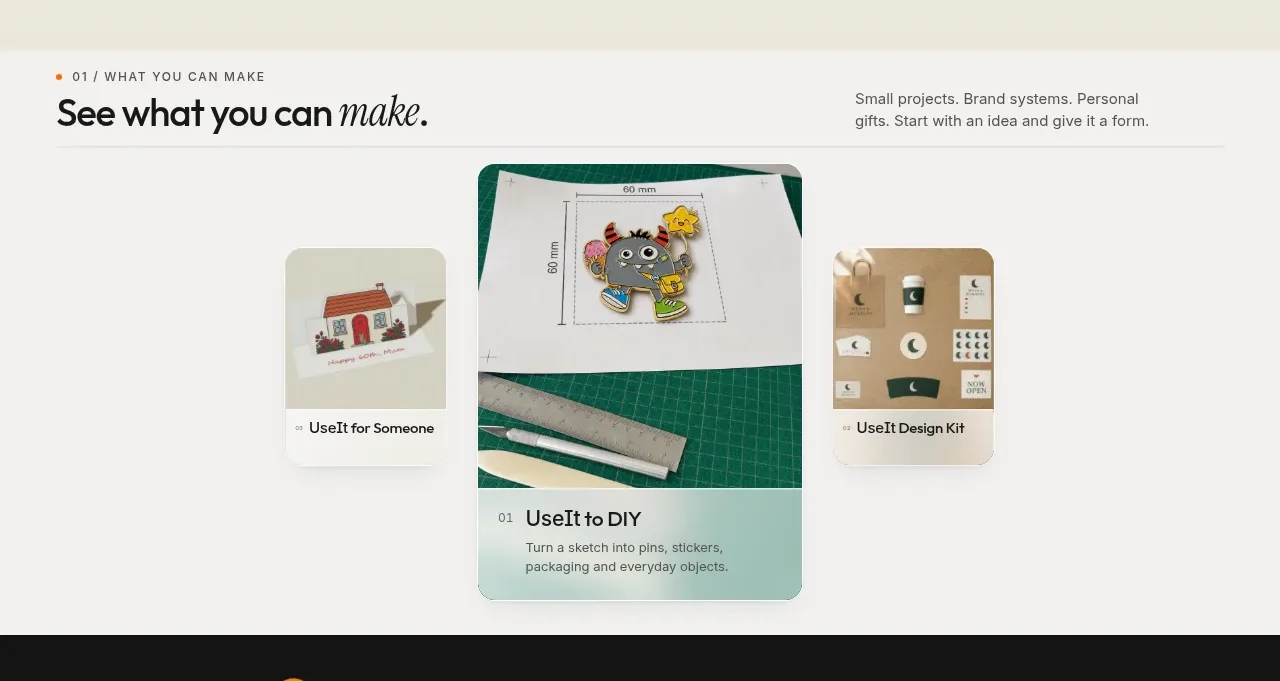
A quiet introduction transitions into a three-card visual showcase, with the center card enlarged to establish a clear focal point and the side cards acting as supporting examples.
Prompt preview
## Reference images

Study these alongside the description below: hierarchy, rhythm, spacing, colour. Build for the product you are asked about, using this design language.

- Component: https://kage-design-assets.t3.tigrisfiles.io/components/useit-studio/292486c5-265b-4687-bbec-a08df326a6fd-1792648910-2.webp
- Full page it was cut from: https://kage-design-assets.t3.tigrisfiles.io/screenshots/useit-studio/292486c5-265b-4687-bbec-a08df326a6fd-1792648867851-full.webp
- Component on Kage: https://kage.design/component/useit-feature-grid

## Before you start
Ask what kinds of outputs or use cases the user's product supports and which one should be the featured example. Apply the following structure to those use cases.

Build a light neutral showcase section (#F7F7F5) with a top row containing a small numbered eyebrow, a bold heading with an optional italic accent, and concise supporting copy aligned to the opposite side. Add a thin divider below this intro. Beneath it, arrange three visual cards horizontally: make the center card larger and slightly taller, while the outer cards are narrower and vertically centered. Each card should combine a rounded image area, a short numbered label, a clear title, and one line of supporting text. Use restrained shadows, 14–18px corner radii, and a muted palette of ivory, charcoal, sage, and one brand accent. The center card can overlap the surrounding rhythm slightly, but cards must remain readable and not overlap each other. On mobile, convert the row into a horizontal scroll or stacked cards while preserving the featured card priority.

Never:
- use logos, product names, copy, illustrations, or imagery from the reference
- use the exact three examples or reference images
- turn every card into an equally weighted tile
More components

 Data-room education and security overview
Papermark Data Rooms · Feature grid
Data-room education and security overview
Papermark Data Rooms · Feature grid
 Advanced data-room features
Papermark Data Rooms · Feature grid
Advanced data-room features
Papermark Data Rooms · Feature grid
 Workflow demonstrations
Papermark Data Rooms · Feature grid
Workflow demonstrations
Papermark Data Rooms · Feature grid

 Lanyard use-case feature
Badgey · Feature grid
Lanyard use-case feature
Badgey · Feature grid

 Problem statement
Clips by Plastic · Feature grid
Problem statement
Clips by Plastic · Feature grid
 Effects and customization panel
Clips by Plastic · Feature grid
Effects and customization panel
Clips by Plastic · Feature grid