 kage
kage
useit.im
Design analysis
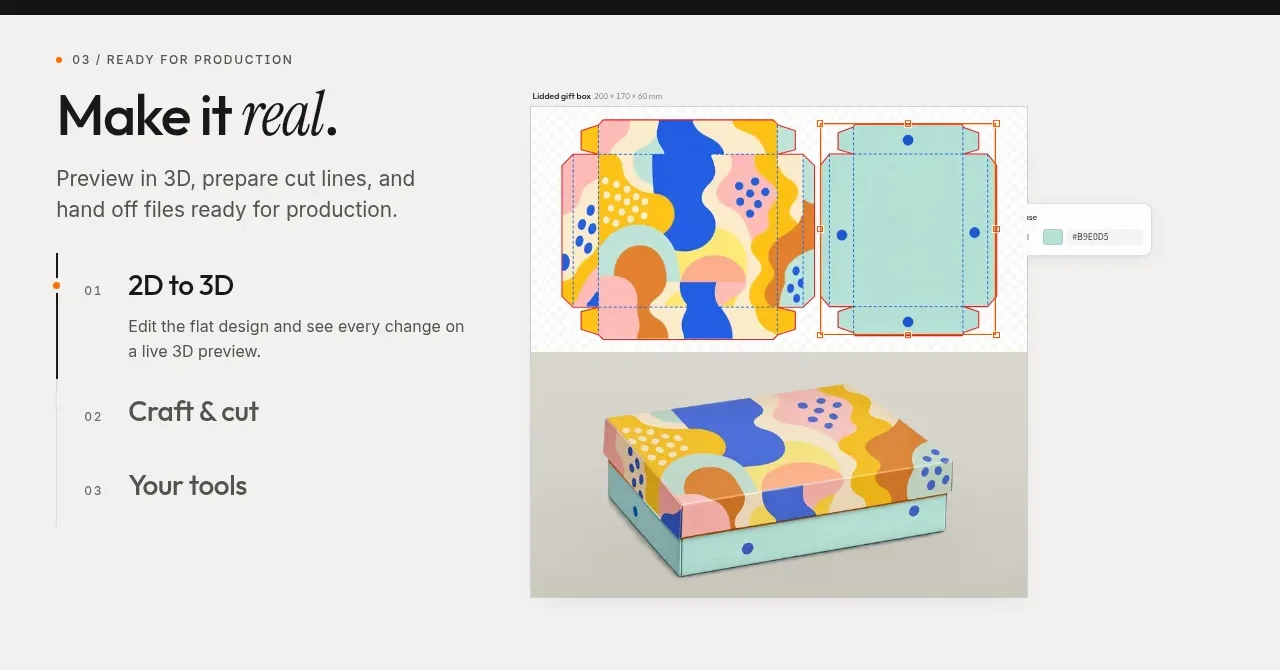
This production-oriented section uses a vertical step list beside a large preview, making the process legible while giving the visual output most of the attention.
Prompt preview
## Reference images

Study these alongside the description below: hierarchy, rhythm, spacing, colour. Build for the product you are asked about, using this design language.

- Component: https://kage-design-assets.t3.tigrisfiles.io/components/useit-studio/292486c5-265b-4687-bbec-a08df326a6fd-1792648911-4.webp
- Full page it was cut from: https://kage-design-assets.t3.tigrisfiles.io/screenshots/useit-studio/292486c5-265b-4687-bbec-a08df326a6fd-1792648867851-full.webp
- Component on Kage: https://kage.design/component/useit-feature-grid-3

## Before you start
Ask what production or delivery workflow the user's product supports and identify three or four meaningful stages. Ask what visual preview would prove the result is ready, then use this layout for that product.

Build a light warm-gray workflow section (#F4F3F0) with a two-column split. In the left column, add a small eyebrow, a large headline with an optional italic emphasis, a short description, and a vertical numbered step navigation. Give the active step an orange marker and a thin vertical progress line; inactive steps should be quieter but still readable. In the right column, show a large framed preview of the output with a neutral border, subtle shadow, and small contextual annotations or controls. Use near-black #171717, gray #66635D, orange #F08E18, pale gray #DDDCD7, and 12–18px radii. Keep the step list and preview aligned to the same vertical region, and make steps clickable tabs that update the preview with a fade or crossfade. Stack the columns on narrow screens, placing the active preview before the step list if needed.

Never:
- use logos, product names, copy, illustrations, or imagery from the reference
- copy the reference workflow labels or artwork
- hide the active state or make the step list non-interactive
More components

 Data-room education and security overview
Papermark Data Rooms · Feature grid
Data-room education and security overview
Papermark Data Rooms · Feature grid
 Advanced data-room features
Papermark Data Rooms · Feature grid
Advanced data-room features
Papermark Data Rooms · Feature grid
 Workflow demonstrations
Papermark Data Rooms · Feature grid
Workflow demonstrations
Papermark Data Rooms · Feature grid

 Lanyard use-case feature
Badgey · Feature grid
Lanyard use-case feature
Badgey · Feature grid

 Problem statement
Clips by Plastic · Feature grid
Problem statement
Clips by Plastic · Feature grid
 Effects and customization panel
Clips by Plastic · Feature grid
Effects and customization panel
Clips by Plastic · Feature grid