 kage
kage
zro.moonmath.ai
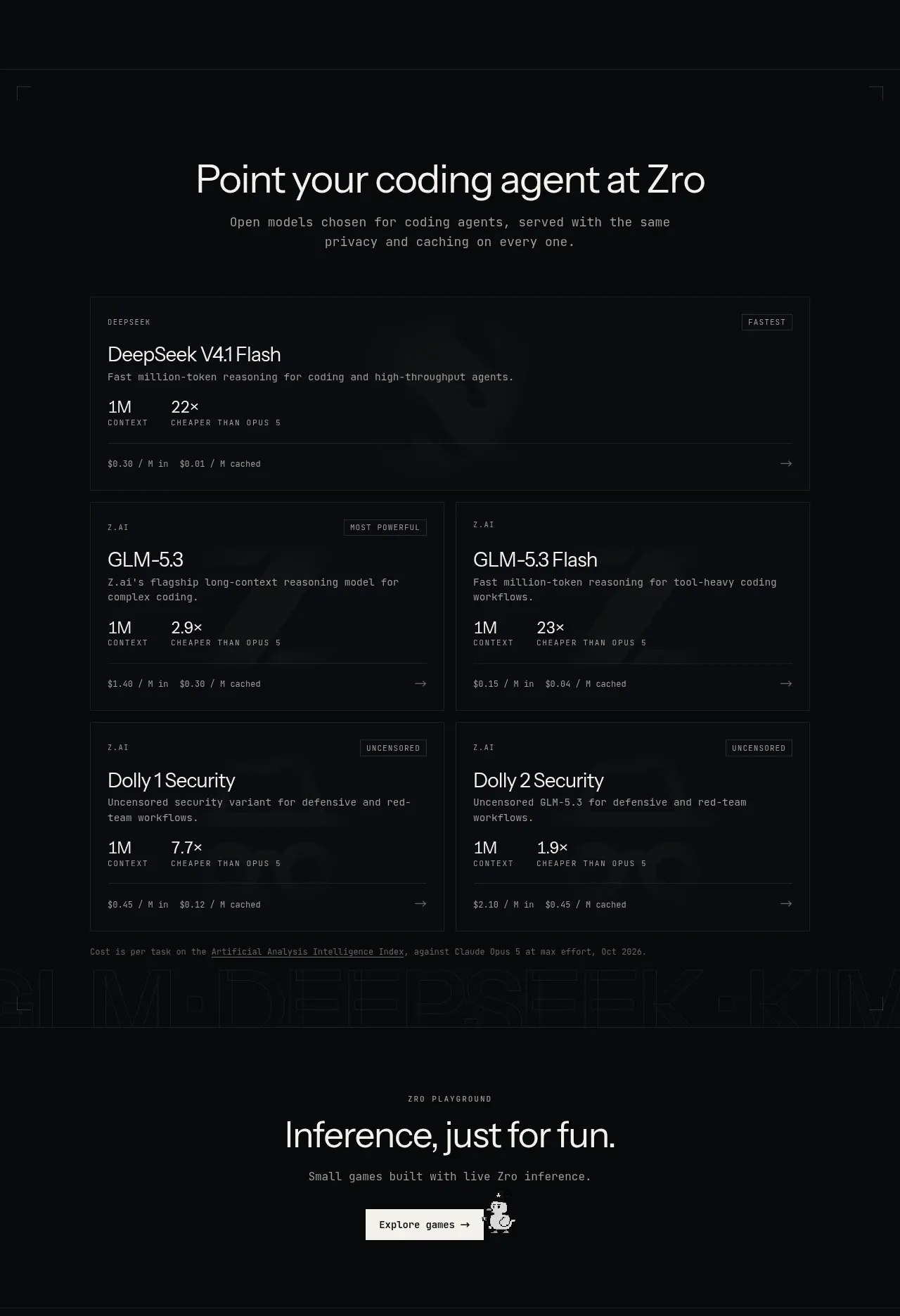
Design analysis
A model-selection section presents one featured full-width card and four smaller cards in a two-column grid, each with capability, context, pricing, and directional affordances.
Prompt preview
## Reference images

Study these alongside the description below: hierarchy, rhythm, spacing, colour. Build for the product you are asked about, using this design language.

- Component: https://kage-design-assets.t3.tigrisfiles.io/components/zro-uncensored-security-models/e20130e7-a5cc-45c0-9379-5144f5425289-1793253724-6.webp
- Full page it was cut from: https://kage-design-assets.t3.tigrisfiles.io/screenshots/zro-uncensored-security-models/e20130e7-a5cc-45c0-9379-5144f5425289-1793253671388-full.webp
- Component on Kage: https://kage.design/component/zro-uncensored-security-models-feature-grid-2

## Before you start
Ask what the user's product and brand are, then apply the following principles to that context.

Build a model or product catalogue section with a centered heading and supporting copy. Below it, place one featured card spanning the full content width, then a two-column grid of four secondary cards. Every card should include a small category label, an optional status badge, a clear title, one or two lines of descriptive copy, compact capability metrics, a bottom pricing or metadata row, and a right-facing navigation affordance. Use a strict 1px border system with panel background `#0b0d10`, border `#1d2126`, white text `#e4e5e0`, muted text `#858a90`, and small accent badges with restrained contrast. Keep card padding around 18–24px and align all bottom metadata rows where possible. Add hover states through border colour and subtle background changes, not shadows. Collapse to one column on narrow screens.

Never: use logos, product names, copy, illustrations or imagery from the reference.
More components

 Outbound partner benefits
throxy · Feature grid
Outbound partner benefits
throxy · Feature grid
 Rapid onboarding timeline
throxy · Feature grid
Rapid onboarding timeline
throxy · Feature grid
 Cold-calling performance section
throxy · Feature grid
Cold-calling performance section
throxy · Feature grid
 Why alternatives disappoint
throxy · Feature grid
Why alternatives disappoint
throxy · Feature grid
 Qualification workflow cards
throxy · Feature grid
Qualification workflow cards
throxy · Feature grid
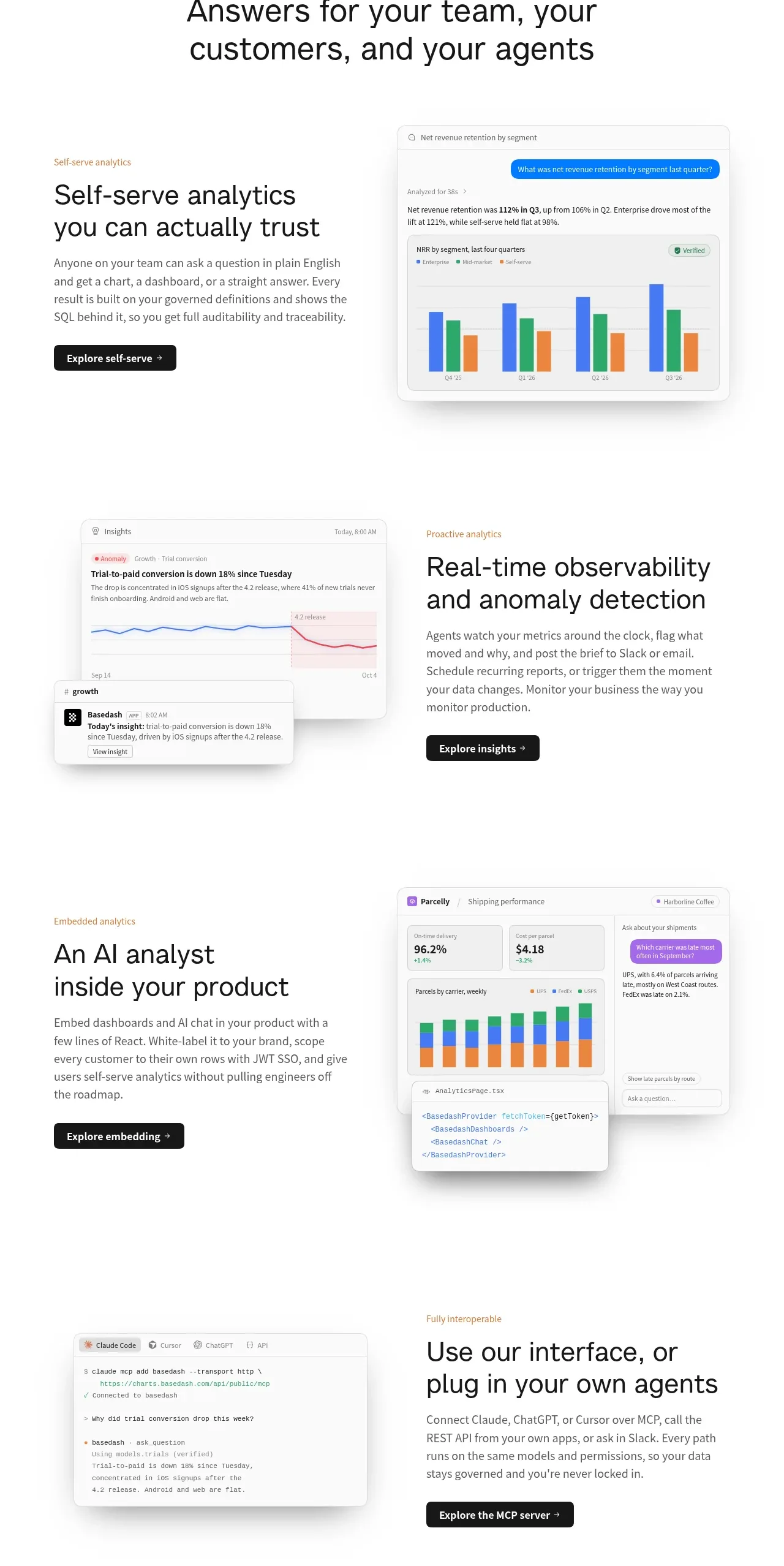
 Analytics capability showcase
Basedash View-only members · Feature grid
Analytics capability showcase
Basedash View-only members · Feature grid