kage
kage
movoai.pro
Design analysis
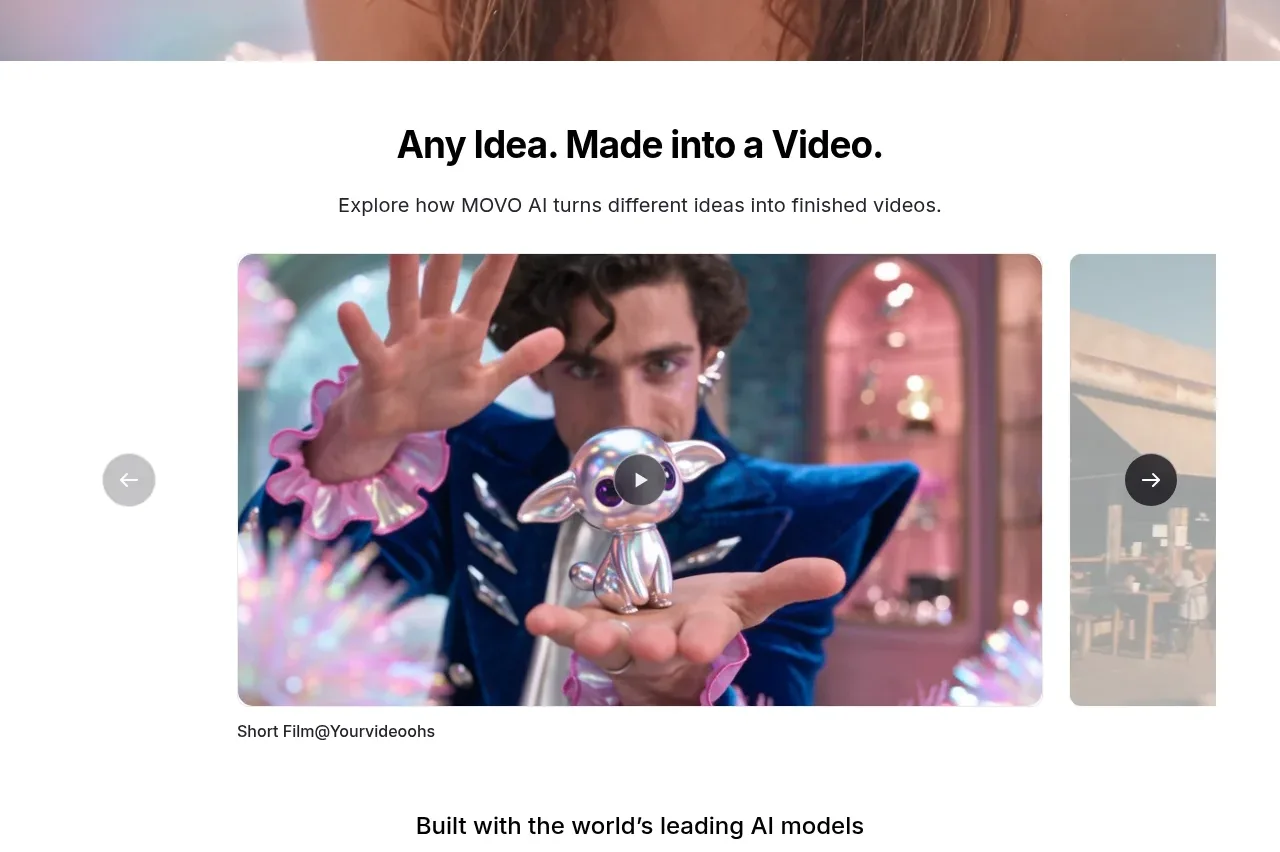
A centered gallery section pairs an explanatory heading with a large featured video tile, partial neighboring slide, navigation arrows, and a caption to communicate the range of possible outputs.
Prompt preview
## Reference images

Study these alongside the description below: hierarchy, rhythm, spacing, colour. Build for the product you are asked about, using this design language.

- Component: https://kage-design-assets.t3.tigrisfiles.io/components/movo-ai/8c1aa91f-026c-4018-9b05-6044a1e6f3fb-1792821689-2.webp
- Full page it was cut from: https://kage-design-assets.t3.tigrisfiles.io/screenshots/movo-ai/8c1aa91f-026c-4018-9b05-6044a1e6f3fb-1792821641495-full.webp
- Component on Kage: https://kage.design/component/movo-gallery

## Before you start
Ask for the user's product category, the kinds of examples they want to showcase, and their brand's visual direction. Then build an original showcase gallery using these principles.

Create a light-background showcase section with a centered heading and one-sentence introduction, followed by a horizontal video carousel. Make the active slide wide and dominant, allow the next slide to peek in at the right edge, and use circular previous/next controls placed outside or over the carousel. Put a small caption below the active media.

Use a max-width around 730px for the heading and an overflow-hidden carousel track. Give media 12–16px radius, a centered play button, and a subtle shadow. Heading hierarchy: 28–32px bold title, 15–16px supporting copy, and 12–13px caption. Keep whitespace generous above and below. Use neutral white #FFFFFF, charcoal #151515, muted gray #6D6D6D, and pale gray #E7E7E7; use the product accent only for active indicators.

Support swipe/drag, arrow-key navigation, visible focus states, and reduced-motion behavior. Keep adjacent slides partially visible on desktop and stack to one slide on mobile.

Never: use the reference's video thumbnails, people, captions, logo, product name, or exact text.