kage
kage
plastic.audio
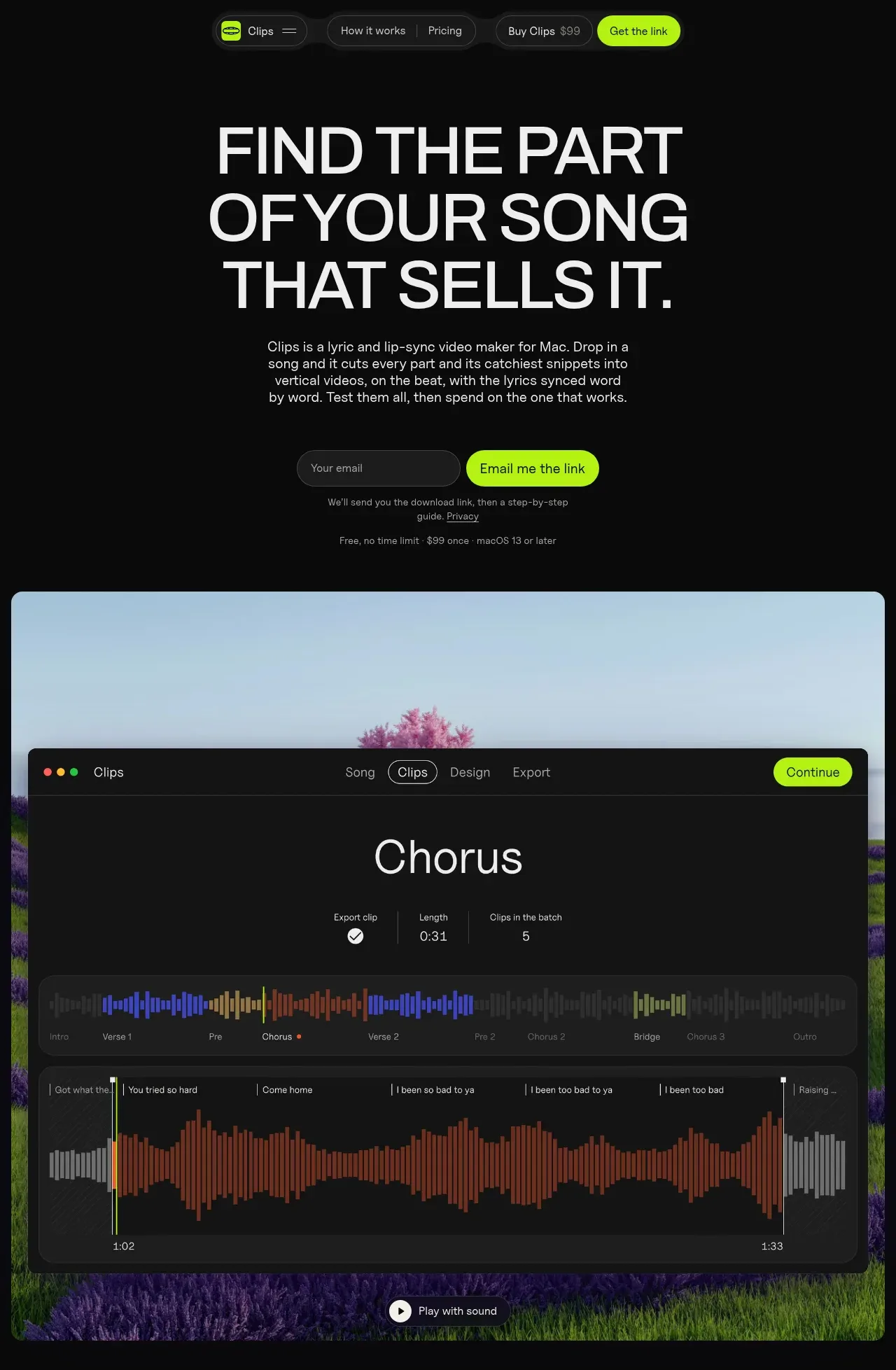
Design analysis
An oversized typographic promise leads into concise explanatory copy, an email capture, and a large rounded product demonstration that visually proves the workflow.
Prompt preview
## Reference images

Study these alongside the description below: hierarchy, rhythm, spacing, colour. Build for the product you are asked about, using this design language.

- Component: https://kage-design-assets.t3.tigrisfiles.io/components/clips-by-plastic/ad43fef6-0048-4f88-83ea-4278fc30c273-1792994534-1.webp
- Full page it was cut from: https://kage-design-assets.t3.tigrisfiles.io/screenshots/clips-by-plastic/ad43fef6-0048-4f88-83ea-4278fc30c273-1792994476004-full.webp
- Component on Kage: https://kage.design/component/clips-by-plastic-hero

## Before you start
Ask what the user's product, brand voice, audience, and desired first action are, then apply these principles to that product.

Create a dark, highly focused hero. Center a large all-caps sans-serif headline with tight line height and a maximum width that creates deliberate line breaks; follow it with a short, readable paragraph in muted gray. Place an inline email field and bright lime submit button beneath, followed by quiet reassurance text. Below the form, add a large rounded product-preview frame with a soft photographic or abstract background and a dark application panel layered over it. Use #080808/#101010 backgrounds, #f4f4f4 headline text, #a0a0a0 body text, lime #b6ff00 for actions, 12–16px corner radii, and generous vertical whitespace. The preview should feel like evidence, not decoration; include a small playback affordance if media is relevant. Make the form keyboard accessible and stack it on mobile.

Never: use logos, product names, copy, illustrations, or imagery from the reference.