kage
kage
cortexdocs.dev
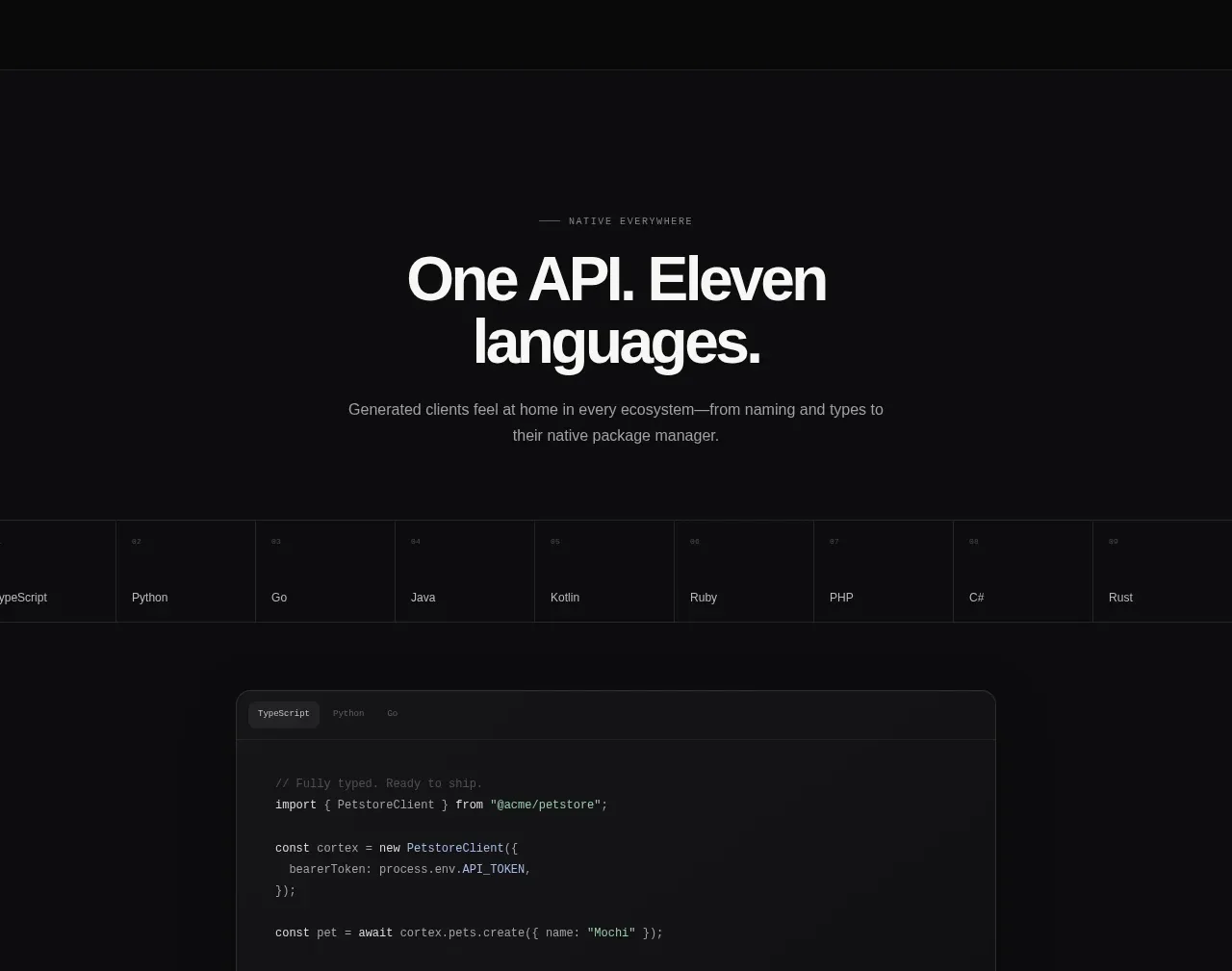
Design analysis
A centered headline presents broad language support, followed by a horizontal language selector and a large code sample panel.
Prompt preview
## Reference images

Study these alongside the description below: hierarchy, rhythm, spacing, colour. Build for the product you are asked about, using this design language.

- Component: https://kage-design-assets.t3.tigrisfiles.io/components/cortex/48e48c32-4544-4e71-94d3-849a84be1bb9-1789279410-7.webp
- Full page it was cut from: https://kage-design-assets.t3.tigrisfiles.io/screenshots/cortex/48e48c32-4544-4e71-94d3-849a84be1bb9-1789279340596-full.webp
- Component on Kage: https://kage.design/component/cortex-hero-2

## Before you start
Ask which platforms, languages, or environments the user's product supports and what code example would be most convincing. Use original labels and code.

Create a centered developer section on a nearly black background. Start with a small uppercase eyebrow, a bold two-line headline, and a centered paragraph constrained to approximately 470px. Beneath the copy, add a horizontal, bordered language/category tab strip with evenly sized cells and subtle active-state contrast. Finish with a large centered code panel featuring tabs, syntax-highlighted code, a rounded frame, and a small metadata footer.

Use 56–64px heading typography, 14px muted copy, monospace code, #111314 panel surfaces, #323436 borders, and a restrained mint accent. The tab strip should become horizontally scrollable on narrow screens; the code panel should scroll horizontally without breaking the layout. Include keyboard-focus states and a copy action if appropriate.

Never: use the reference's logos, product names, copy, illustrations, imagery, or exact language names/code.