kage
kage
ffffinder.repponen.com
Design analysis
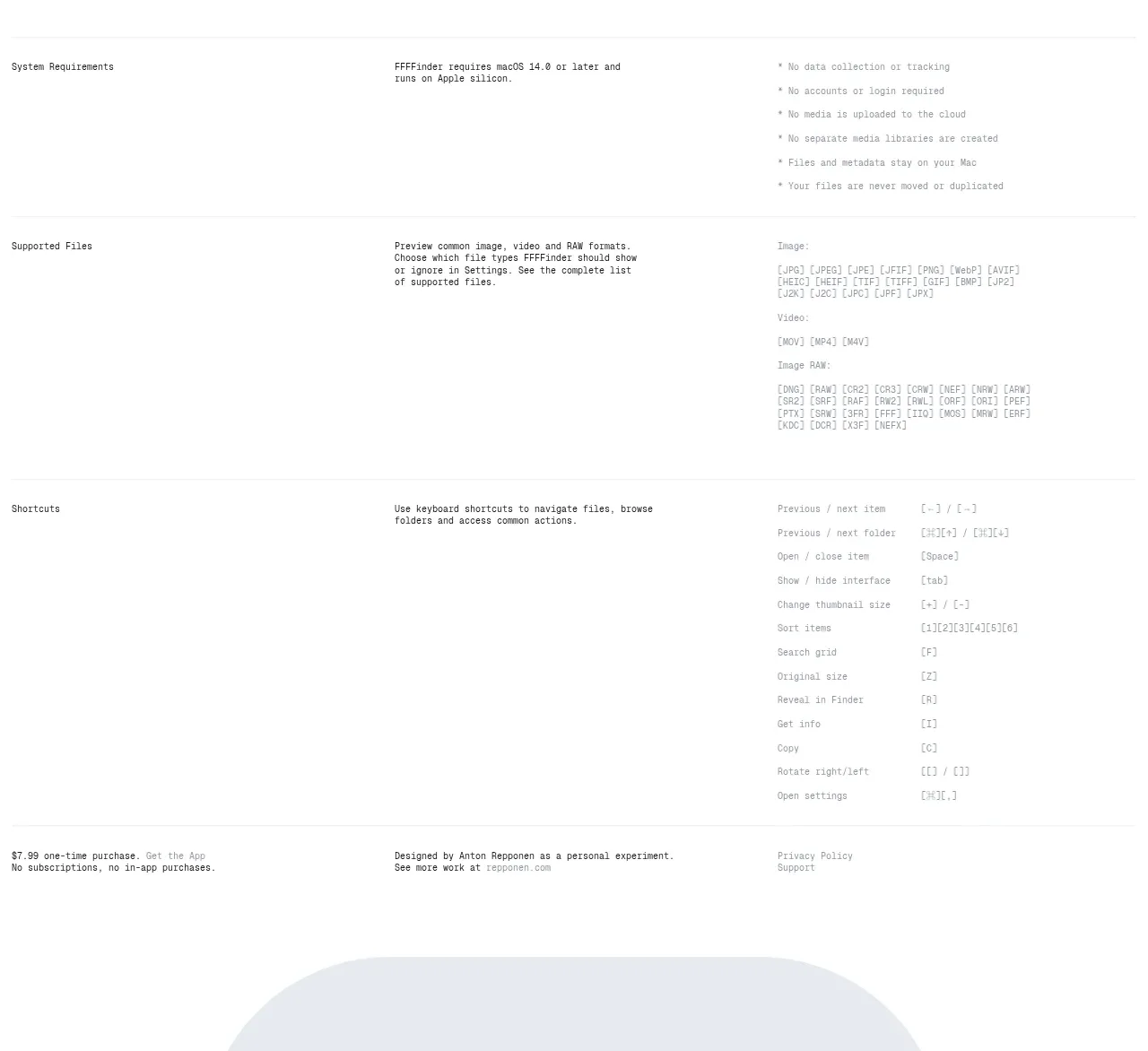
A documentation-like information area organizes practical details into wide rows: system requirements, supported files, and keyboard shortcuts. The sparse grid and aligned columns make dense technical information scannable.
Prompt preview
## Reference images

Study these alongside the description below: hierarchy, rhythm, spacing, colour. Build for the product you are asked about, using this design language.

- Component: https://kage-design-assets.t3.tigrisfiles.io/components/ffffinder/236e01a7-b902-40d9-8cf2-9e70faeb5362-1790748893-5.webp
- Full page it was cut from: https://kage-design-assets.t3.tigrisfiles.io/screenshots/ffffinder/236e01a7-b902-40d9-8cf2-9e70faeb5362-1790748796754-full.webp
- Component on Kage: https://kage.design/component/ffffinder-table

## Before you start
Ask what technical requirements, supported formats, and shortcuts are relevant to the user's product. Ask whether the brand should feel technical, editorial, or friendly, then apply these rules.

Build a documentation table section with three stacked information groups. Each group has a small heading in the first column, a concise explanation in the middle, and structured values or lists in the final column. Separate groups with fine horizontal rules and preserve generous empty space so technical content remains readable.

Design rules:
- Use a three-column grid: label, explanation, and details; align all groups to the same vertical tracks.
- Use compact monospace or technical sans typography, with headings slightly darker or heavier than values.
- Keep body text around 12–14px at desktop and use line-height of 1.45–1.6.
- Use page white `#FFFFFF`, text `#202020`, muted text `#7A7A7A`, and dividers `#E6E6E6`.
- Avoid boxed cells; use horizontal rules and whitespace instead. Let long format lists wrap naturally.
- On mobile, stack each row into label, explanation, then details while retaining clear group separators.

Never:
- Never copy the reference's file extensions, shortcut labels, product names, copy, or logos.
- Never sacrifice readability by forcing dense technical lists into a single unbroken line.