kage
kage
useit.im
Design analysis
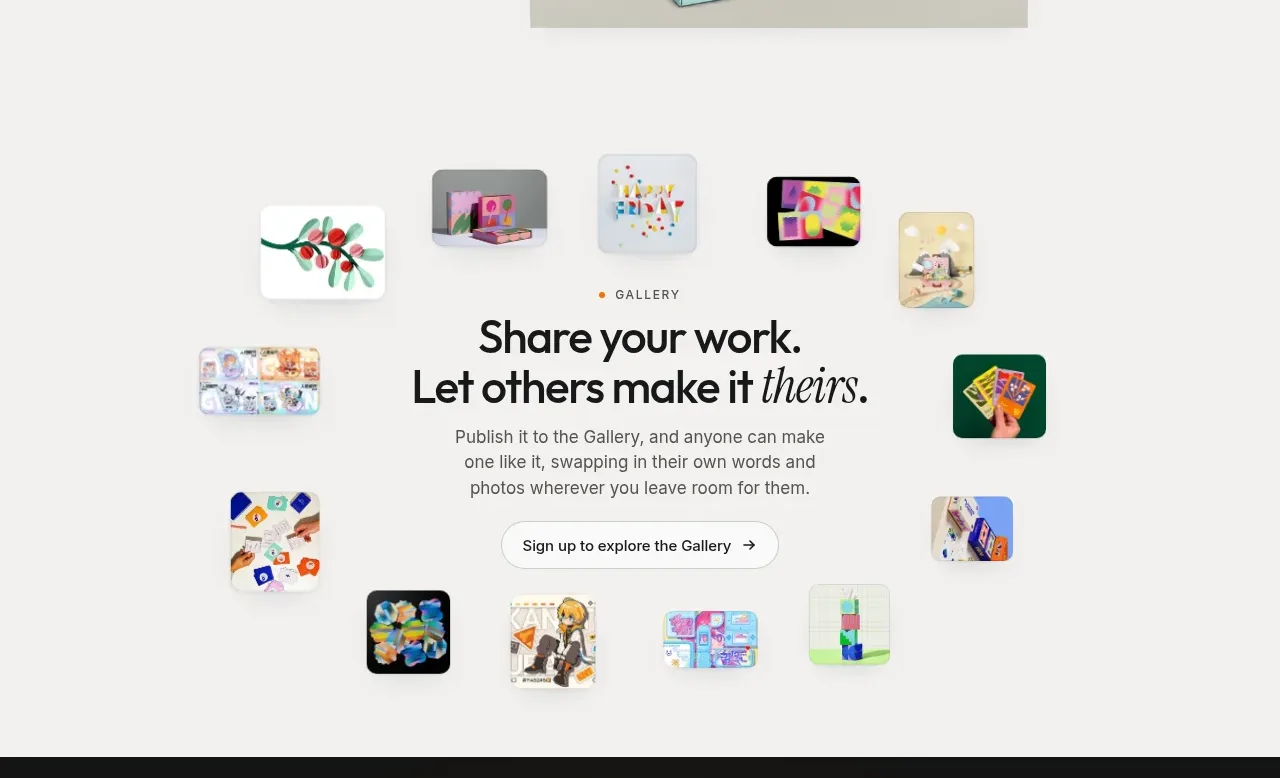
A centered invitation is surrounded by a loose orbit of small work thumbnails, making the gallery feel social and visual without competing with the central message.
Prompt preview
## Reference images

Study these alongside the description below: hierarchy, rhythm, spacing, colour. Build for the product you are asked about, using this design language.

- Component: https://kage-design-assets.t3.tigrisfiles.io/components/useit-studio/292486c5-265b-4687-bbec-a08df326a6fd-1792648911-5.webp
- Full page it was cut from: https://kage-design-assets.t3.tigrisfiles.io/screenshots/useit-studio/292486c5-265b-4687-bbec-a08df326a6fd-1792648867851-full.webp
- Component on Kage: https://kage.design/component/useit-gallery

## Before you start
Ask what users share in the user's product and whether the goal is discovery, inspiration, or collaboration. Ask for brand colors and the desired gallery action before implementing this pattern.

Create a bright, airy gallery section with a centered content stack and a loose arrangement of small thumbnail cards around it. Start with a tiny uppercase eyebrow, then a two-line centered headline with a restrained italic accent, a concise paragraph, and one rounded outline or light-filled CTA. Place 8–12 varied thumbnails around the central message in an asymmetric but balanced orbit: use different sizes, gentle rotations, rounded corners, and enough whitespace that the headline remains dominant. Use a near-white background (#FAFAF8), charcoal text (#171717), muted gray copy (#68655F), and one green or orange brand accent. Give images 10–14px radii and very soft shadows. Add hover scale, focus ring, and optional lightbox behavior for thumbnails; on mobile, convert the orbit into a simple two-column grid around the text.

Never:
- use logos, product names, copy, illustrations, or imagery from the reference
- use the same thumbnail subjects or exact orbit positions
- let decorative thumbnails obscure the CTA or central heading