kage
kage

Design analysis
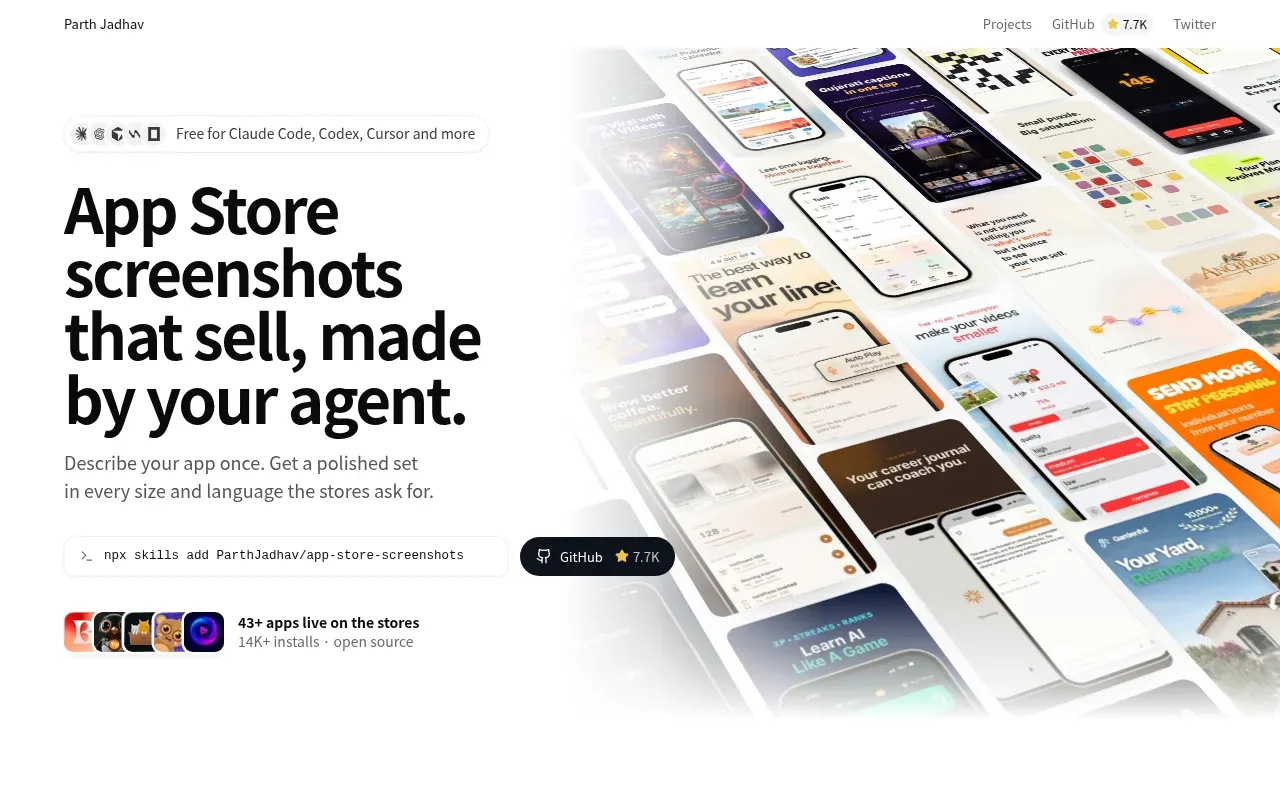
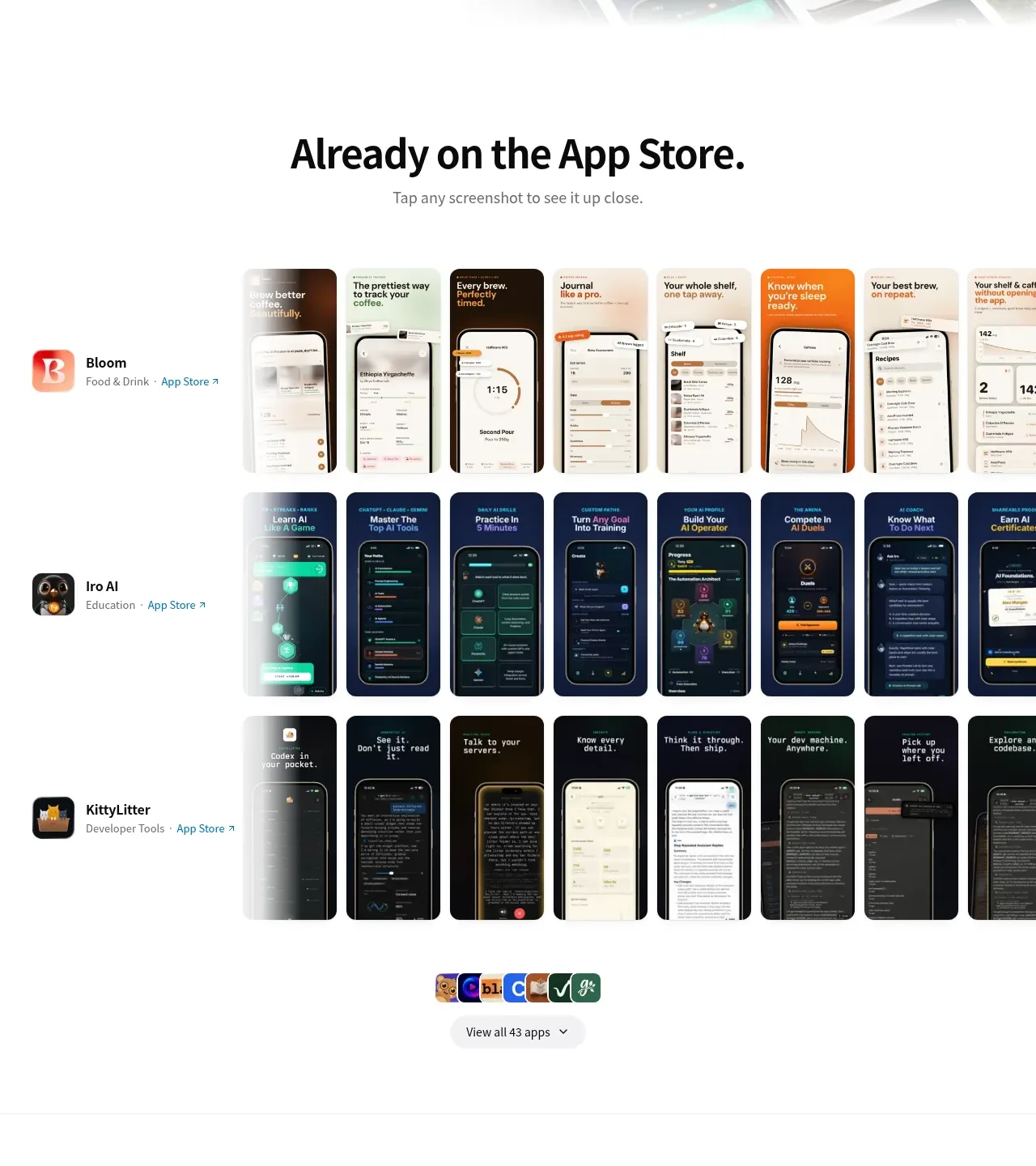
A stark, near-monochrome developer landing page that keeps its own chrome quiet — black display type on white, hairline dividers, pill buttons — so the colourful product output (real App Store screenshot sets) carries all the visual weight. The hero pairs a massive multi-line headline with a tilted, bleed-off collage of screenshots on the right, then the page settles into a proof gallery (three app rows with edge-to-edge screenshot strips), a numbered four-step "How it works" with realistic terminal/chat/editor mockups, a language-switcher demo strip, a style-gallery section, a two-column FAQ accordion, and a dark CTA + footer. Rhythm comes from alternating full-bleed proof sections with white, generously spaced editorial sections, and the numbered timeline with a connecting rule gives the middle of the page a strong vertical spine.
Prompt preview
## Reference images

Study these alongside the description below: hierarchy, rhythm, spacing, colour. Build for the product you are asked about, using this design language.

- Full page: https://kage-design-assets.t3.tigrisfiles.io/screenshots/app-store-screenshots/ebba8a13-8dd3-48a7-9b23-a1c0db4171af-1793253637144-full.webp
- Above the fold: https://kage-design-assets.t3.tigrisfiles.io/screenshots/app-store-screenshots/ebba8a13-8dd3-48a7-9b23-a1c0db4171af-1793253632825.webp
- Design on Kage: https://kage.design/designs/app-store-screenshots-landing-page

# Build a landing page in this design language

## Before you start
Ask the user what product they are building, who it is for, and what brand assets they already have (name, logo, colours, typefaces). Wait for their answers before writing code. Everything below is applied to **their** product, not to the reference site.

## Page structure
1. **Top nav**: single row, left wordmark as plain text, right-aligned small text links (Projects, GitHub, X/Twitter). No background bar, no border; the page just starts.
2. **Hero**: two-column split. Left column (~50%): a small pill-shaped badge row listing supported integrations, then an oversized multi-line black headline with a period, a one-sentence subhead, a monospace install-command pill with a copy affordance, and a GitHub star button. Under it, a row of small app icons with a proof line ("43+ apps live… · open source"). Right column: a dense, tilted collage of product screenshots that bleeds off the top and right edges — the only colourful area on the page.
3. **Proof gallery** ("Already on the App Store."): centred display headline + small helper line, then 3–4 rows, each an app: left sticky column with app icon, name, category and outbound link, right an overflowing horizontal strip of ~8 real screenshots per app. End with a small row of app icons and a centred pill button "View all N apps".
4. **How it works**: a left-hung numbered timeline (01–04) with a thin vertical connector line. Each step: bold step title left, one realistic mockup card right — (01) a dark terminal card showing the install command, (02) a light chat card with a user bubble, numbered agent questions and tag-chips, (03) a browser-chrome editor window mockup, (04) an export card with language tabs, screenshot thumbnails, and device-size chips, ending in a download row with a checkmark. Vary card widths so the column doesn't feel uniform.
5. **Language section** ("Every language."): centred headline, a segmented language selector (English / 日本語 / Deutsch / …), a full-width strip of screenshots that changes per language, and a centred attribution line with app icon.
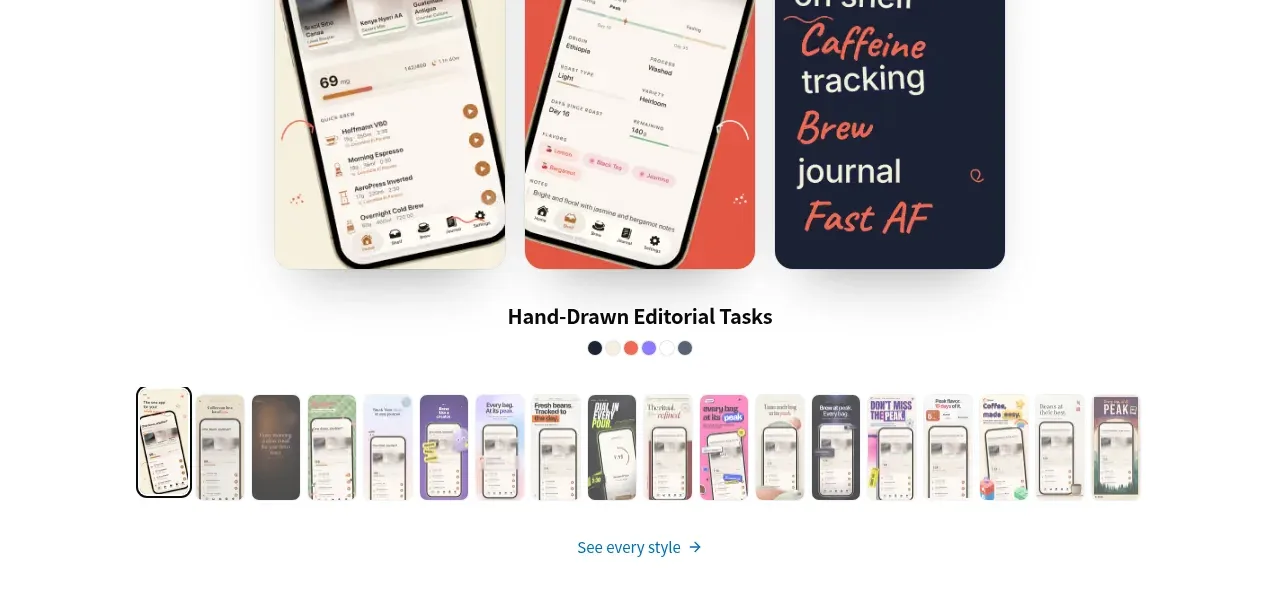
6. **Styles gallery** ("Same app. N styles."): centred headline, three large sample cards showing the same app in different visual styles (one typographic/editorial, one playful colour, one dark), a style name + colour-dot swatch row, then a horizontal thumbnail strip of many more style variants with small numbered badges, ending in a text link "See every style →".
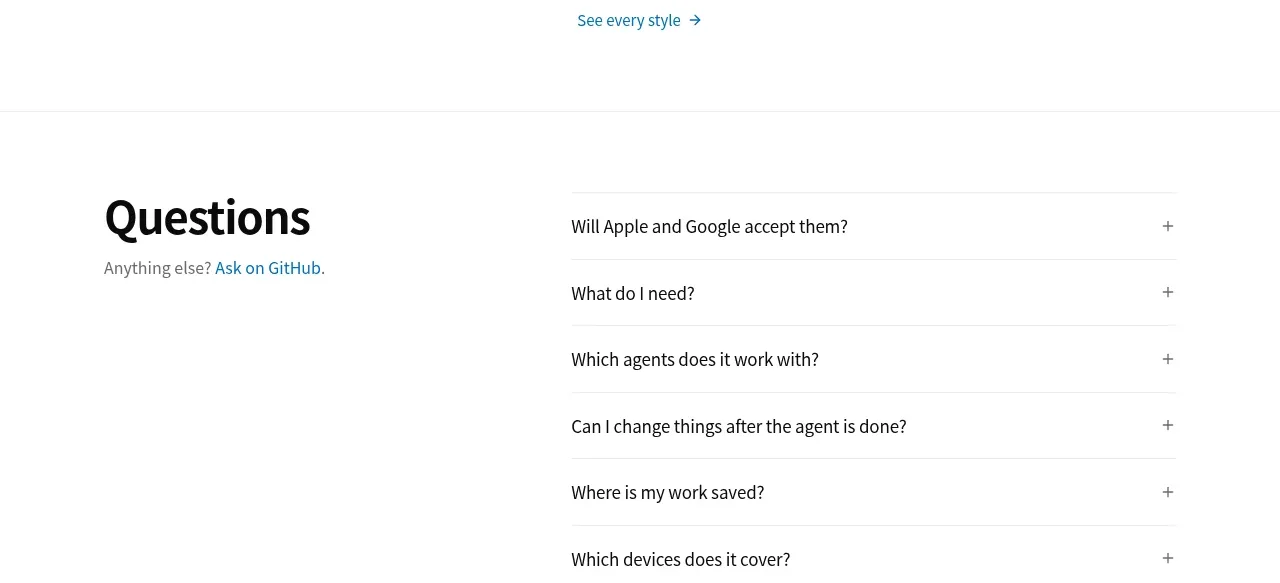
7. **FAQ** ("Questions"): two-column. Left: section title plus "Anything else? Ask on GitHub." Right: 6–8 accordion rows separated by hairlines, each with a plus sign that becomes an × when open.
8. **Closing CTA** ("Your app is next."): huge centred black headline, the install-command pill + GitHub button again, then another edge-to-edge screenshot collage strip that bleeds into a dark section below.
9. **Footer (dark, near-black)**: left column with product name, one-line description, icon row and usage stat; three link columns (on this page / resources / made by). Bottom bar: licence left, copyright right.

## Design language
- **Ink on paper, product as colour**: the page chrome is strictly white (#ffffff), near-black text (#111111) and grey support text (#6b7280). All colour saturation comes from real product screenshots and mockups. Reserve one soft background tint (very light grey, ~#f7f7f8) for alternating sections to create rhythm.
- **Typography**: one modern sans family across the page. Display headlines are very large (clamp ~48–96px), tightly led (line-height ~1.02), medium weight, sentence case, and always end with a period — this is the signature voice. Section subheads are small (~16px) grey. Body/UI text stays 14–16px. Use a monospace face for install commands and terminal content only.
- **Hierarchy by scale, not decoration**: no gradients, glows or drop-shadow theatrics. Separation is done with whitespace, thin 1px hairline rules (#e5e5e5) and section-scale jumps. Cards get 1px borders, ~12–16px radius, and at most a soft shadow on elevated mockups.
- **Rhythm down the page**: alternate dense, colourful, full-bleed proof sections with airy white editorial sections. The timeline in the middle gives the page a strong left-aligned spine; galleries go wide and centred. Vary card sizes within a section (one wide + several narrow) instead of equal grids.
- **Numbered steps**: use outlined circled numbers (01, 02…) with a thin vertical rule connecting steps; step titles bold, right side holds a concrete artefact (terminal, chat, editor, export).
- **Chips and pills**: small rounded-full pills for languages, device sizes, tags and language selectors; active state = filled dark or tinted, inactive = light grey fill.
- **Motion & interaction**: accordions expand with a plus→× rotation; horizontal screenshot strips invite horizontal scroll and hover-lift on cards; "tap any screenshot to see it up close" — make gallery items clickable to a lightbox. Keep everything subtle, no parallax theatrics.
- **Mockup realism**: terminal cards are dark (#0d1117-ish) with a traffic-light header, prompt lines in monospace and a green success line; chat cards mimic the agent UI with a green status dot; editor mockups sit in a browser window frame with a URL pill. These artefacts are the page's proof, so make them detailed and plausible for the user's own product.
- **Collages**: screenshot collages are rotated slightly (−8° to 8°), overlap, and bleed off the viewport edges on at least two sides — never a tidy grid.
- **Footer inversion**: end the page on a dark near-black footer so the scroll ends with weight; keep its typography identical but inverted to white/grey.

## Never
- Do not copy the reference's copy, headline phrasing, product name, author name, app names (Bloom, Iro AI, KittyLitter), logos, or the specific app screenshots.
- Do not recreate the coffee-journal or any other specific app imagery; use the user's own product visuals or neutral placeholders.
- Do not use the reference's exact install command, GitHub star counts, or FAQ question texts.
- Never present the result as the reference product — it is a design language applied to the user's own product.
Components from this page
All components
 Minimal top navigation
App Store Screenshots · Navigation
Minimal top navigation
App Store Screenshots · Navigation
 Product hero with screenshot collage
App Store Screenshots · Hero
Product hero with screenshot collage
App Store Screenshots · Hero
 App showcase gallery
App Store Screenshots · Gallery
App showcase gallery
App Store Screenshots · Gallery
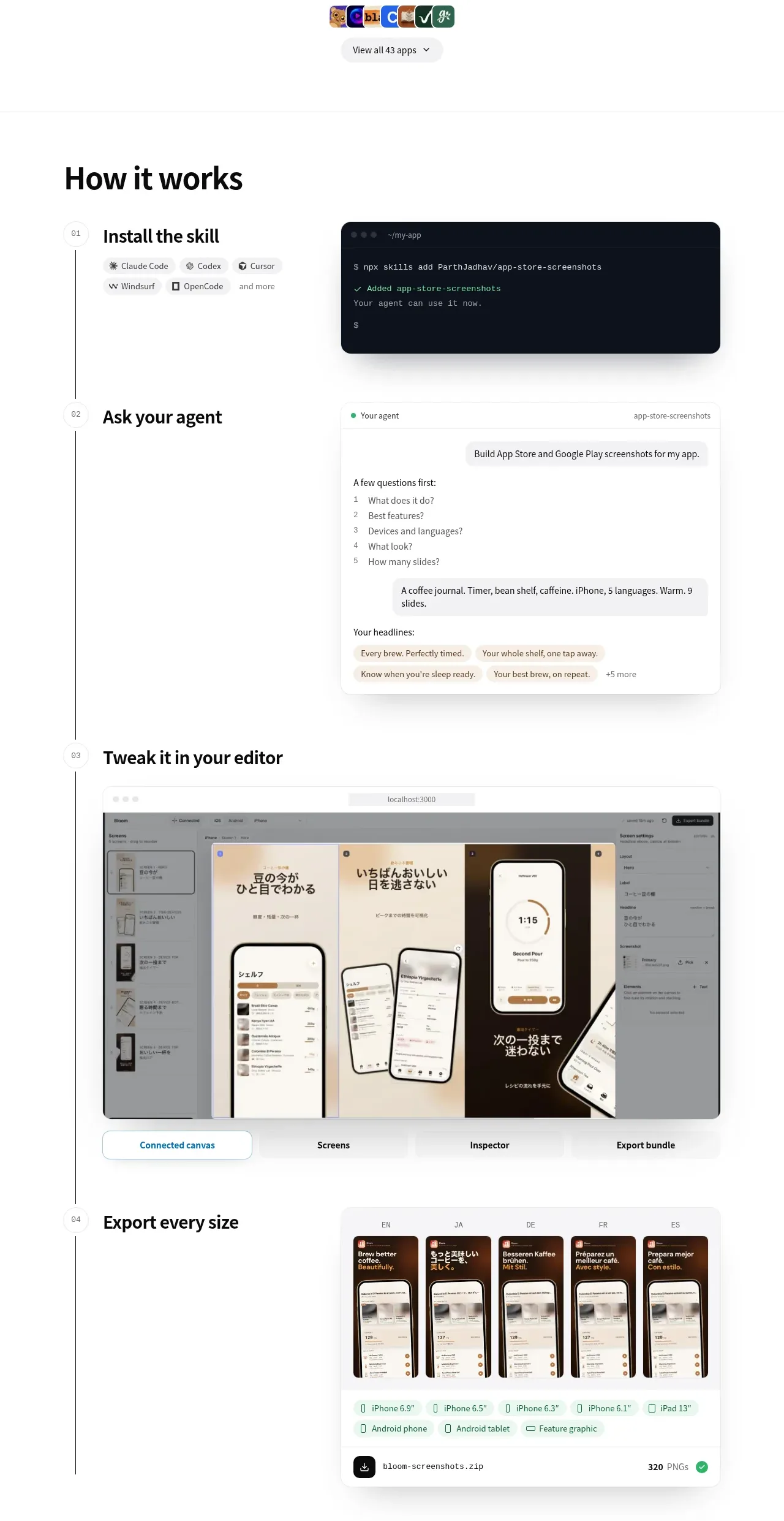 Four-step workflow
App Store Screenshots · Feature grid
Four-step workflow
App Store Screenshots · Feature grid
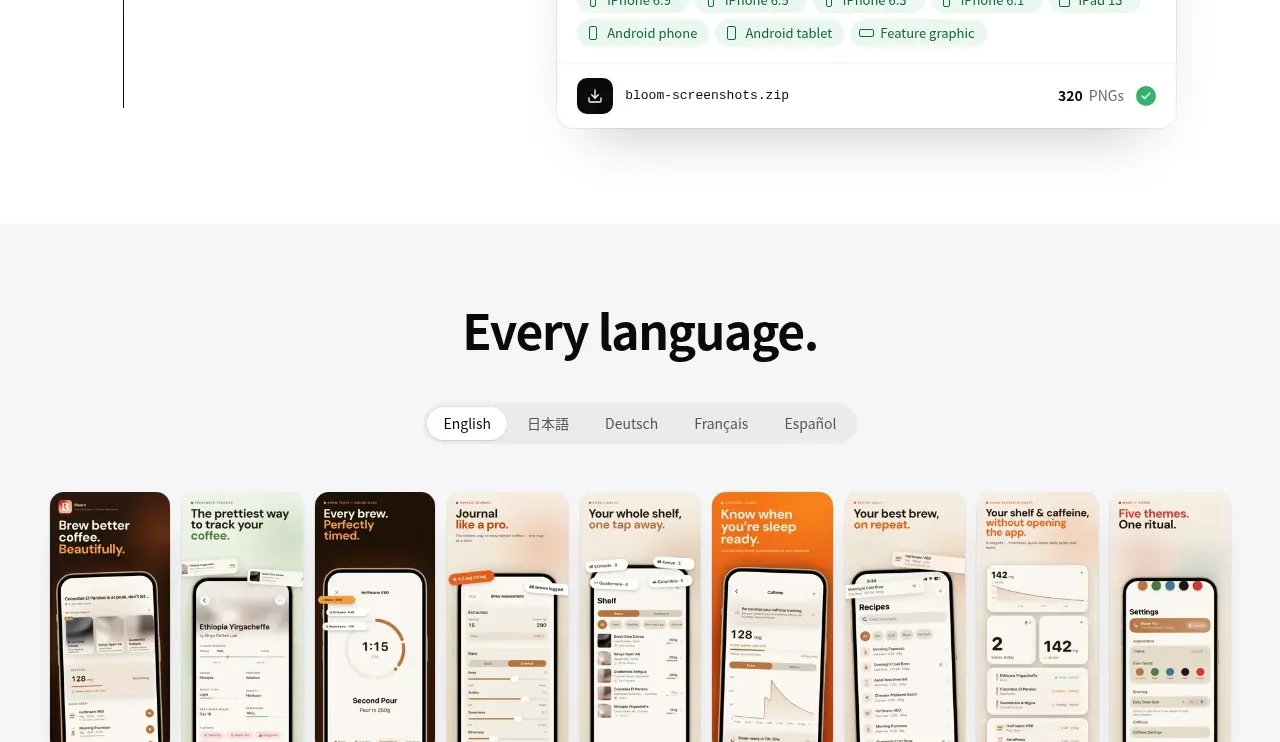 Language variations gallery
App Store Screenshots · Gallery
Language variations gallery
App Store Screenshots · Gallery
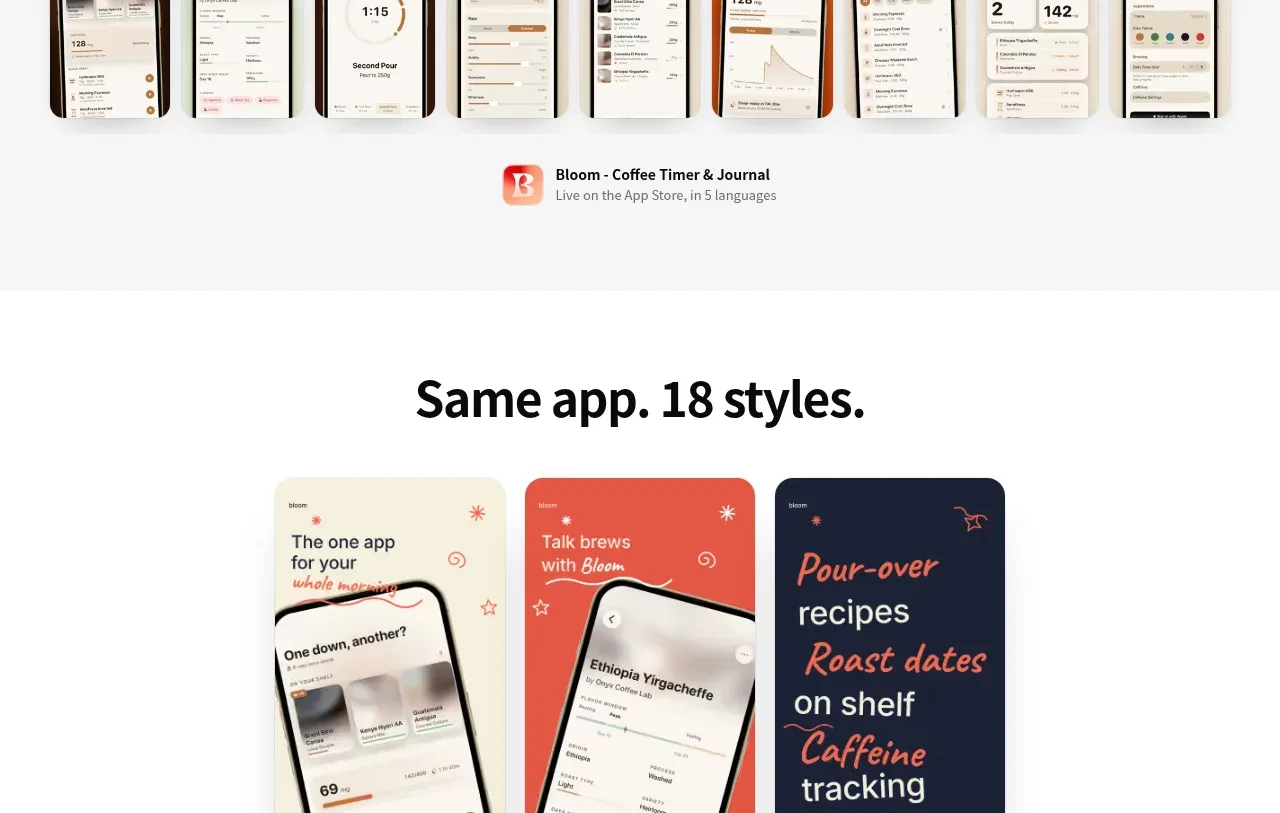 Style variation carousel
App Store Screenshots · Gallery
Style variation carousel
App Store Screenshots · Gallery
 Questions and answers
App Store Screenshots · FAQ
Questions and answers
App Store Screenshots · FAQ
 Dark product call to action
App Store Screenshots · Call to action
Dark product call to action
App Store Screenshots · Call to action
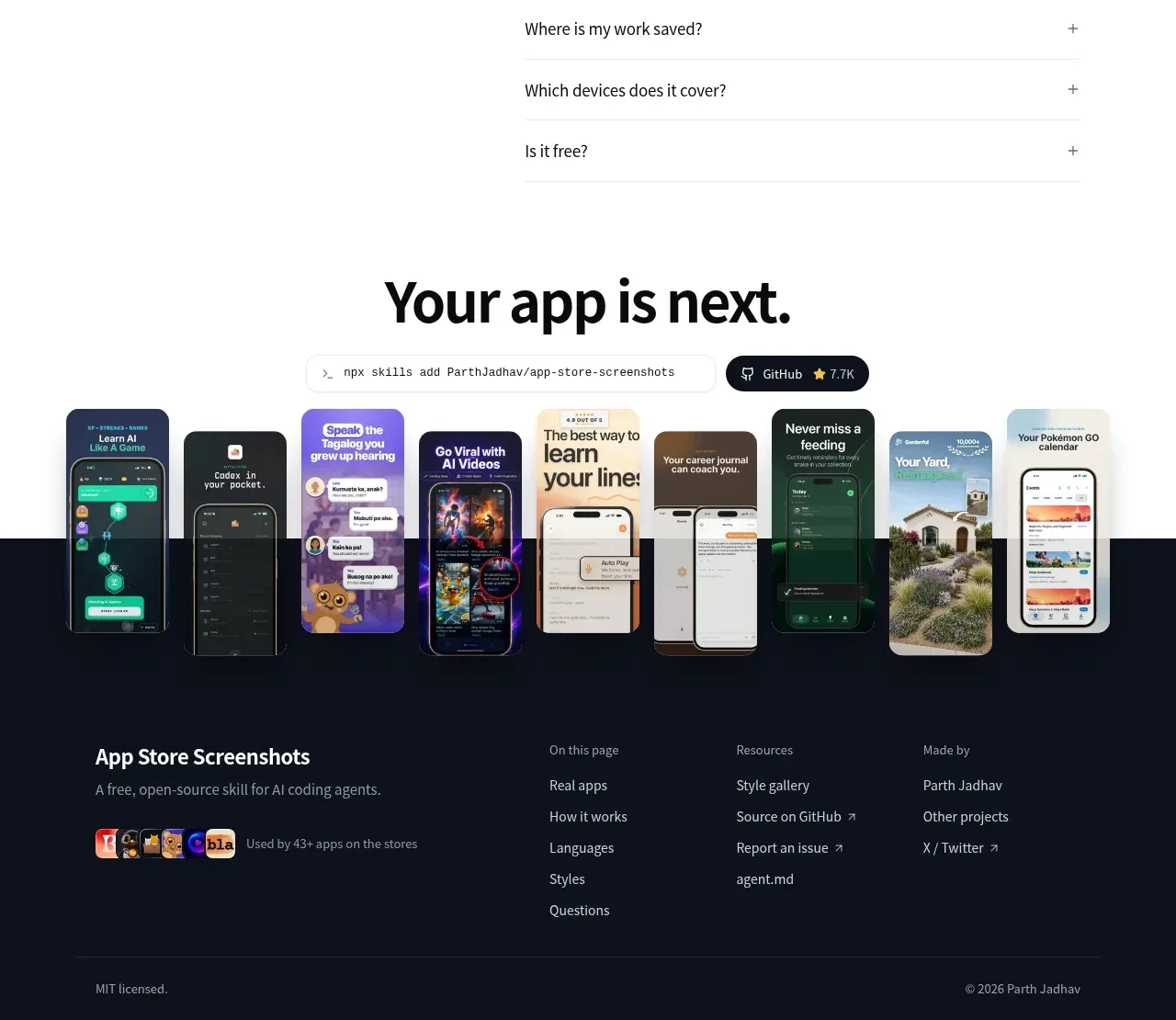 Multi-column dark footer
App Store Screenshots · Footer
Multi-column dark footer
App Store Screenshots · Footer